is a particularly humorous instance of https://en.wikipedia.org/wiki/RAS_syndrome
But if I didn't have a japanese keyboard and family living in Japan since 30 years, I wouldn't necessarily know what:
"There was also the JIS keyboard"
would refer to.
While: "There was also the japanese JIS standard keyboard" is crystal clear.
Even if, technically, it's quite redundant.
Another pet peeve of mine: I hate it when articles are full of acronyms without at least the acronym being explained the first time it's used in TFA (The Fucking Article).
At times there are TFAs posted here with so many acronyms that you get comments saying: "I don't know what most of these acronyms mean".
And I regularly have to cut/paste sentences into Gemini and ask it: "Explain the acronyms".
So, even if it's a bit funny, please more "japanese JIS standard". Much more.
You may want to look in a mirror. Your snide tone does not add anything here.
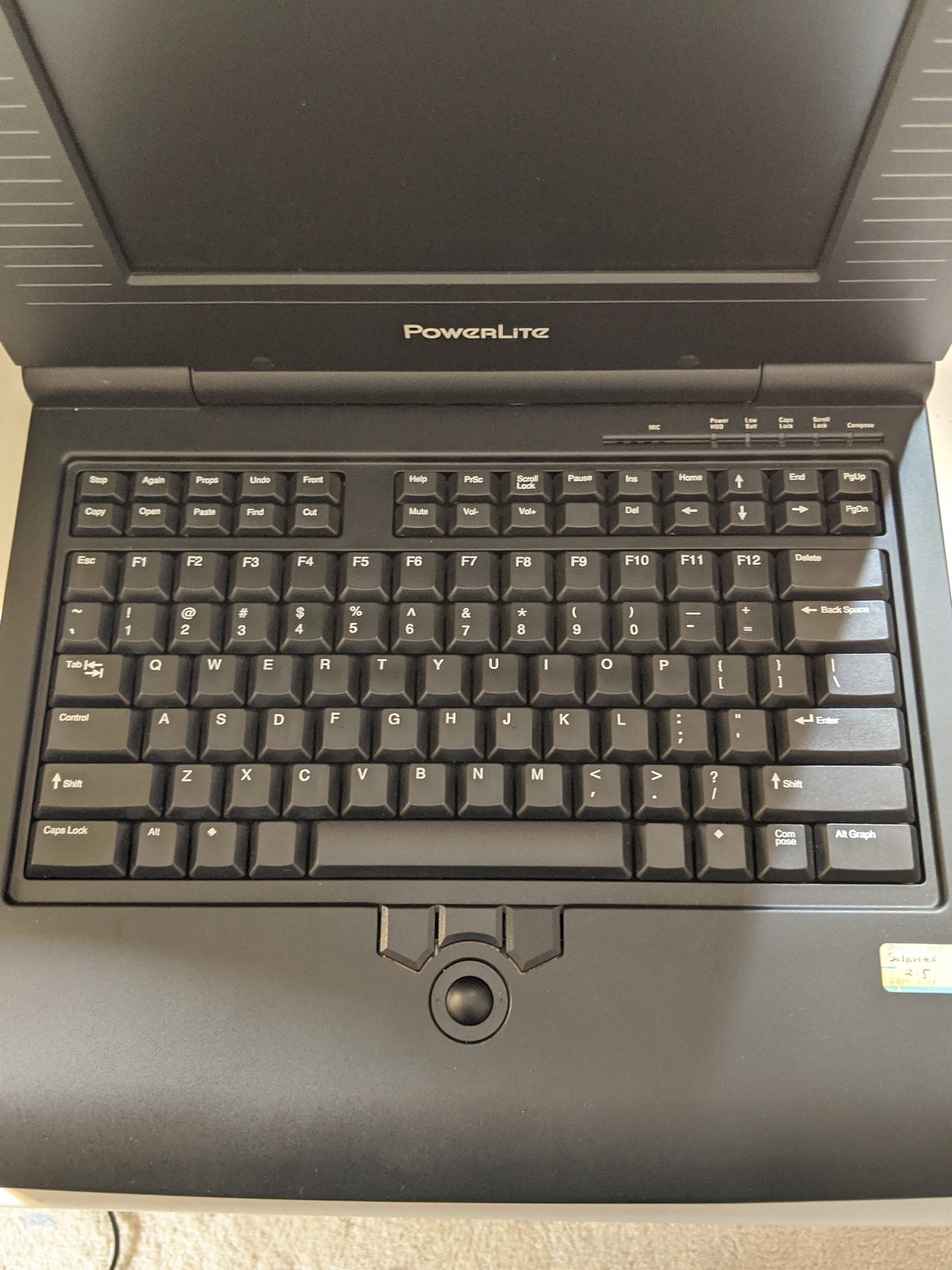
The Star left cluster are primarily operations that pair the left hand on the keys with the right hand on the mouse. This derives from Engelbart's Mother of All Demos with the left-side keyset paired with the right-side mouse.
Sure (this is demonstrated in the linked video, for instance) but the ZXCV group is pretty similar in that respect. Even for operations which involve the mouse it's preferable to drag only one hand far away from its home position, rather than both of them. (Especially since the video evidence https://www.youtube.com/watch?v=Cn4vC80Pv6Q seems to suggest that Star users tended to move their left hand only after making the mouse selection, instead of prepositioning it.) And the Star's Undo key, which presumably doesn't require help from mouse input and is likely to be needed after a non-mouse action, isn't placed any more conveniently near the home row: it's simply in the right side-cluster rather than the left one.
Not sure if this was ever supported system-wide in any way, though.
(Yes, they could have just replaced the "regular" function keys with copy/paste keys, but I feel like that would have gone over about as well as the various times they've, uh, tried to replace the function keys)
The one and only web host [2] written in Nim [0], running on Sprite [1] ;-)
[1] https://github.com/OSPreservProject/sprite/blob/master/sprit...
https://deskauthority.saberkeebs.com/wiki.themk.org/index.ph...
https://deskthority.net/download/file.php?id=59173
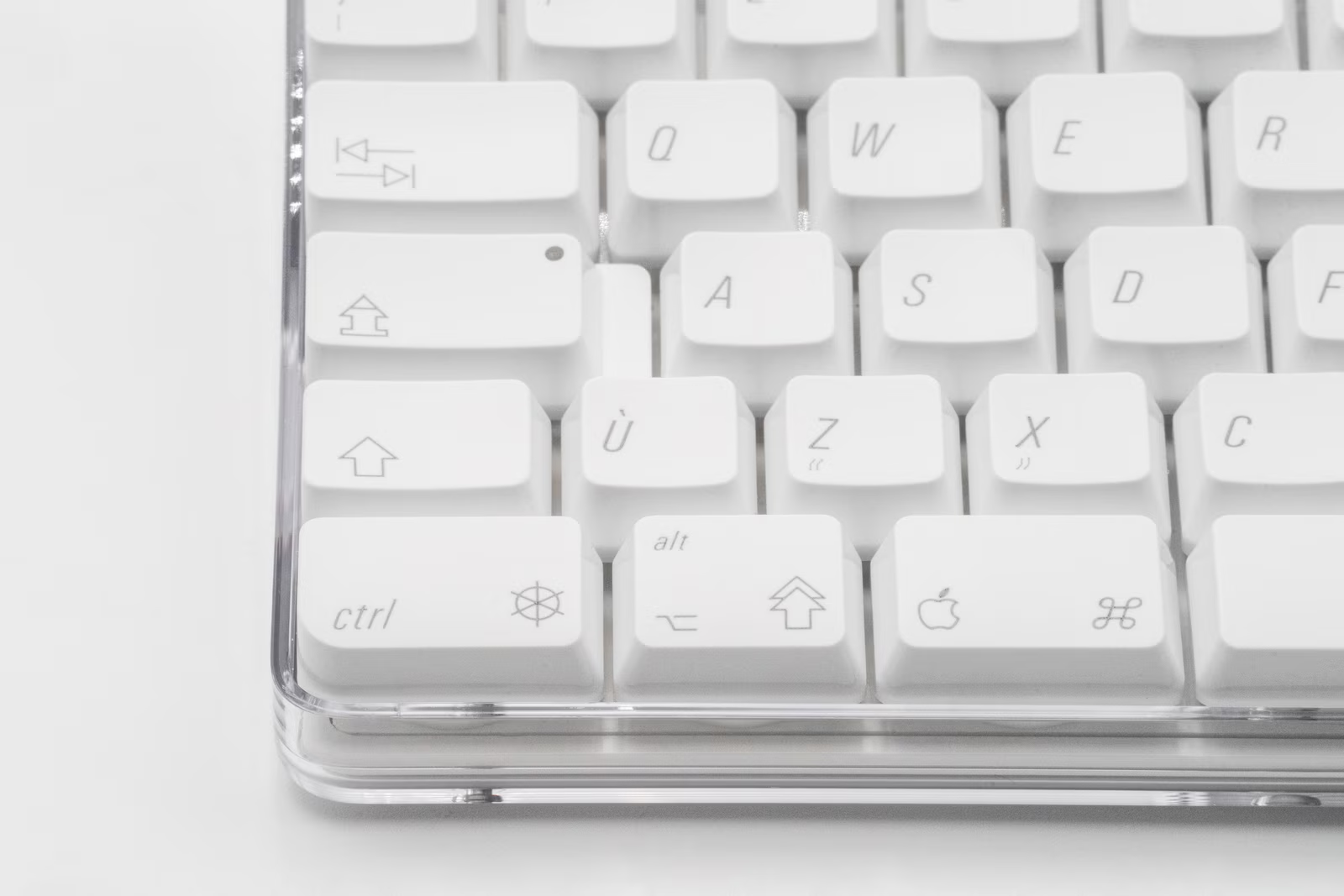
Early Mac design was excellent overall, but decided not to include these keys (maybe they were leaning towards Smalltalk-like context menus?), and then seemed to go into more cryptic and power-user in-the-know keyboard direction (like with the 3-icon key including special support for flipping burgers):
https://unsung.aresluna.org/_media/key-symbols-we-lost-to-ti...
Conflating meta keys with control keys is one of the more pernicious abominations Microsoft saddled on the tech world.
Shift - Control - Meta - Super - Hyper. Each has its place.
https://news.ycombinator.com/item?id=40634902
Guy L Steele wrote "Double Bucky" in 1978:
https://news.ycombinator.com/item?id=14372023
Double Bucky
(C) 1978 by Guy L. Steele, Jr.
(Sung to the tune of "Rubber Duckie")
    Double bucky, you're the one!
    You make my keyboard lots of fun
      Double bucky, an additional bit or two:
    (Vo-vo-de-o!)
    Control and Meta side by side,
    Augmented ASCII, nine bits wide!
      Double bucky, a half a thousand glyphs,
               plus a few!
        Oh,
        I sure wish that I
        Had a couple of
            bits more!
        Perhaps a
        Set of pedals to
        Make the number of
            Bits four:
        Double double bucky!
    Double bucky, left and right
    OR'd together, outta sight!
        Double bucky, I'd like a whole word of
        Double bucky, I'm happy I heard of
        Double bucky, I'd like a whole
            word of you!
The UniPress Emacs icon was a unicorn, because after you held down all the modifier keys with both hands, you need a horn on your head to press the actual letter.
So "Uni[Corn Key]Press Emacs".
You can see it in the lower left corner of this screen snapshot, but the horn is covered by a tabbed emacs window:
https://en.wikipedia.org/wiki/Tab_(interface)#/media/File:Hy...
Sun format Unicorn icon from the UniPress Emacs sources:
https://github.com/SimHacker/NeMACS/blob/main/src/D.sun/unic...
I bind Delete to F12 on every machine I use. It's a wonderful thing.
Xerox Star put labeled keys in a left-hand cluster meant to work with the mouse in the other hand, which is the Engelbart pairing. Apple chose not to. Printing Copy on C would have been the cheap half of that lesson.
The missing keycaps are still the small complaint. The theft was the words.
Ted Nelson, 1999, in his own type:
http://hyperland.com/TedCompOneLiners
>Consider the "clipboard" on the Mac, PC or XWindows. It's just like a regular clipboard, except (a) you can't see it, (b) it holds only one object, (c) whatever you put there destroys the previous contents. Aside from that, IT'S JUST LIKE A REGULAR CLIPBOARD IN EVERY OTHER RESPECT-- EXCEPT THERE AREN'T ANY OTHER RESPECTS!
>I see this pseudo-clipboard as stupidity at its height: a really terrible, destructive mechanism, excused by a word that makes it sound somehow okay. It is a further offense-- the greatest atrocity in the computer field, I believe-- that the crippled and destructive functions of this pseudo-clipboard have been falsely given the names "cut" and "paste"-- which for decades have meant something ENTIRELY different to writers, the function of parallel rearrangement with all things visible.
He said it again at BayCHI in 2021. YouTube's auto-captions turned one line into "many signs sound okay." I wrote him. He did not argue with the sense of the passage. He did correct one attribution: "long form work" is Tesler's phrase, from their emails, not Ted's. Cleaned transcript of the public talk (intent, not a court reporter):
Copy of HCI Constructs Then and Now with Ted Nelson:
https://youtu.be/dOLXLk8TbxQ?t=661
>So what does cut and paste mean today? Those holy words, referring to the highest faculties of an author's overview, have been assigned to a strange construct called the clipboard: an invisible buffer. You can't see it, and it holds only one object. In other respects it is like a physical clipboard, except there aren't any other respects.
>So cut and paste -- those formerly sacred words for the mind's highest faculty -- have been used to propagandize this abominable construct. These features should have been called hide and plug, but somehow using those familiar old words makes them sound okay, like the words "national socialism." So they could at least have made it visible and made it a stack for rearrangement. But oh no.
>Now this crime against humanity -- calling the hide-and-plug functions cut and paste -- was perpetrated by a good friend of mine, the late Larry Tesler. And he kept insisting to me -- we had many emails on the subject -- that the real cut and paste was only for very specialist long-form work.
NY Times copy boy (1960s): First morning task — scrape dried paste from glass pots, refill with wet library paste (three on city desk, foreign, economics). Reporters cut sections, paste down, rewrite between. Yell copy → pneumatic tube to typesetting. "This was called cut and paste and indeed it was."
Grandmother's Tolstoy story: Daughter's lecture — Tolstoy dictates two longhand copies; one filed, one cut up all over the dacha floor; walking in woods: "Don't touch my noodles"; returns to paste in new order and dictate next draft.
Slide (Ted Selker showed): Ted's 1965 ACM article noodles — bad reproduction of actual cutting/pasting with photo of real noodles.
A keycap that says Paste would still be hide-and-plug. It would just confess on the plastic. What writers meant was noodles on the table, everything visible, rearrange, then paste. Ted still does that with scissors.
Real cut and paste-- STILL NEEDED BY WRITERS !
https://www.youtube.com/watch?v=6_35RDA6r3g
>The terms "cut" and "paste" were redefined in 1984, when the Macintosh came out-- "cut" now meant HIDE and "paste" meant PLUG-- and as a result, there are no decent tools for large-scale rearrangement.
>Tolstoy cut his manuscripts into pieces that he called his "noodles"-- then he would rearrange them and paste them into a new order, adding text and crossing out, then dictating a new draft to his daughters, one to be cut up again. (My grandmother heard this in a lecture by one of his daughters.)
>Balzac wore a knife around his neck for cutting up his manuscripts-- but such rearrangement is impossible with today's computer software.
>Personally, in the 1960s I had huge paper cut at the factory-- about 14" wide by 40" long-- for massive rearrangement by REAL cutting and pasting of big manuscripts. I still have some of that big paper.
Cut and Paste, 2014, by Ted Nelson:
https://archive.org/details/cutnpaste_201909
>This shows the actual cut and paste process, done physically, that has been denied to us by software since those two words were redefined in 1984 to mean "hide" (on the invisible hideyhole called misleadingly the "clipboard") and "plug" (whatever's in the invisible hideyhole) to wherever you're pointing.
>Or since the letters used on both Mac and Windows are C and V, they could better have stood for Cram and Vomit.
Ted Nelson — invisible clipboard rant (source catalog):
https://github.com/SimHacker/WillWrightShowForFood/blob/main...
(I've had blank looks from a few colleagues after suggesting they press the Return key (that being the term I used to refer to the Return key) - which makes me wonder what percentage of people even know that Return is the name of a key. Perhaps we should retire the term entirely.)
Numpad Enter is definitely a distinct key though, but I've never seen it treated differently than Return (except for randomly not working in some contexts that accept Return)
Given those in charge were probably one finger typists if that, and befuddled by technology, they would collectively have decided that computers should be standardised so that learnt skills would be transferrable, and therefore they probably imposed ideas like standardised keyboard layouts.
Of course it turned out that the next generation were totally capable of operating computers without any formal training, were totally fine with different operating systems, different keyboard layouts, different applications etc, and so there was probably lots of wasted effort solving a non-existent problem.
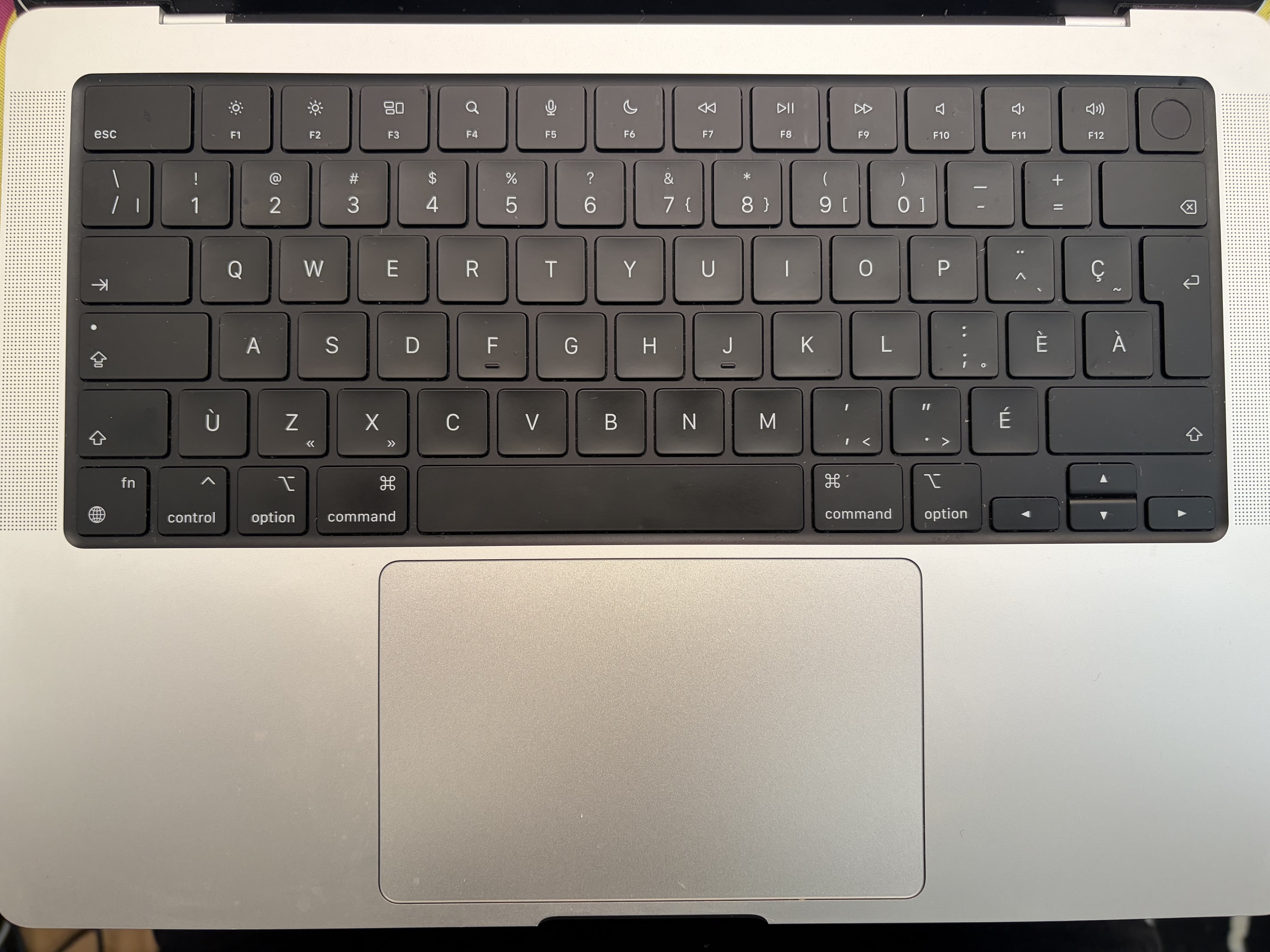
https://f.toi.sh/fr-ca-mbp.jpg (Pardon the dust!! You never really look too closely as your keyboard until you have to take a picture of it eh?)
Tab, capslock, shift, backspace, and return are all symbols-only. I feel like I have a pretty good ambient understanding of what they mean at a glance so I think I've always seen them on fr-CA layouts I've used.
Was trying to communicate to a designer in Ontario a while ago that we could use the backspace symbol for a correction key in a PIN entry view. We were working on an iOS application so I was immediately thinking that the apple default UI font would have exactly that "chevron with a cross" symbol styled how it looks on the keyboard somewhere in it. Designer was pretty confused about it though, so I think it's probably just fr-CA keyboards.
I'm willing to bet that more than 99% of the Canadian Multilingual CSA keyboards on PCs are used by public servants. There is another (French Canadian)layout that is much more common among consumers.
Of course, the Mac side is different, having somehow chosen to align with the (IMO superior) CSA layout.
Which province? Because I've never seen the CSA keyboard used here in Alberta, but it's also not terribly surprising that the Albertan government has poor support for French.
If you don't already know Cmd+C and Cmd+V, the keyboard gives you zero clue what they do.
I get why Apple didn't add a bunch of extra keys though. At some point you'd just have a keyboard full of random buttons.
Still, having a real Delete key on a MacBook would be pretty nice lol.
I remember some of our early Chromebooks had Canadian keyboards, and students and teachers revolted.
We were all taught to use keyboards printed in the US keyboard, but swapping the virtual layout to Canadian French when writing French, which is what I still do.
There are two different Canadian QWERTY keyboard layouts suited for typing French though: the one called "Canadian French" (or something similar) where most of the accents are on dead keys [0], or the one called "Canadian Multilingual Standard" (or "CSA" or "ACNOR") where most of the accented letters have dedicated keys [1].
I personally use the CSA layout, but my impression was that that's uncommon, since my French teacher thought that I was crazy when I told her I used that layout. And this comment [2] suggests something similar. But I also live in Alberta, so I'm not exactly in the best location to see what most French Canadians use :)
> We were all taught to use keyboards printed in the US keyboard, but swapping the virtual layout to Canadian French when writing French
Same here, but I had assumed that that was only because I was in Alberta where there aren't many French people/keyboards.
[0]: https://commons.wikimedia.org/wiki/File:KB_Canadian_French.s...
[1]: https://commons.wikimedia.org/wiki/File:KB_Canadian_Multilin...
I would also add ZX Spectrum keyboard with all the keywords on it. G/GOTO, L/LET, P/PRINT etc. Was lots of fun.
We should have engraved common actions on the keys when we could, before every software invented its own set of keyboard shortcuts.
~!@#$%^&*()_+
If you're interested in how ASCII ended up that way, Tom Jennings wrote an excellent history: https://www.sensitiveresearch.com/Archive/CharCodeHist/index...
Of course, larger character sets that include ASCII as a subset do keep adding symbols: https://www.unicode.org/alloc/Pipeline.html and some programming languages do use non-ASCII symbols: https://docs.raku.org/language/operators
______
⁂ Smalltalk's continued use of ASCII-1963, among other things so that it could use ← as the assignment operator, is the reason that OO programmers got in the habit of using CamelCase, and are still doing so today, despite using a character set containing the underscore, and, typically, programming languages in which underscores are valid characters
Assuming that second dash is an en-dash, I've not used the majority of those characters even when handwriting. I would say the quotes I handwrite are closer to symmetrical " quotes, I do still use the multiply but I use a slash for divide, I do use the pound symbol and degree symbol, and I've never used the rest. And I'm from england
(Strictly speaking, people did continue adding symbols. We used to talk about code pages: when the MSB was 0, the other 7 bits were ASCII. When the MSB was 1, the other 7 bits were a user selected code pade.)
Macintosh keyboard layouts tend to have many symbols on Option-combinations but they are not always printed.
You might like https://juliamono.netlify.app/#fnref:zscode
Panic, for example, gets this right. In Transmit, pressing Return connects to a server. Pressing Enter enters rename mode.
Wonder why that changed? (or if it did?)
Personally, I'm particularly fond of the "electronic switch" glyph ⌥ used to denote Option, which I first saw in the manual for classic Macintosh app: UltraPaint, 1990 by Deneba Systems, so dated around the beginning of Unicode.
My early aluminium Apple A1243 2171 Wired Keyboard, British layout dated 2007, has it labelled with both Alt and ⌥. (BTW my keyboard is still going strong at 18 years old with only the shift key replaced after I wore it completely through.)
They did it right with respect to key shape.
- the keys were scuplted. This eliminated touch-typing problems because your fingers would find the edges of keys then self-center in the middle of a concave surface.
- the modifier keys were convex, so you could detect them easily
- you could plug the mouse into the keyboard. (though there were power problems with higher-powered mice)
I really hated it when they went to flat keyboards.
Functionality went out the window. You couldn't find the center of keys, so it was easier to make mistakes because of lack of feel.
The only nice thing I could say about them is that they were attractive to look at in a way, and the short throw was very light.
I personally miss the Plato IV Plasma Terminal Keyboard - https://codex.retro1.org/plato:tutor:plato_keyboard and http://xahlee.info/kbd/plato_iv_keyboard.html . Those keys on the right with represented many common functions. But the entire keyboard was designed for a future where computers would facilitate many worlds, not just a replacement for a typewriter or calculator.
Did the editor repace :) with [happy-face]?
I guess:
Click on the HN discussion > Click on the article > Notice the weird CMS error > Copy the sentense > Click back > Click back again by mistake(?) > Click on the discussion of the wrong article (?) > Paste the sentence > Notice that HN eat the emoji > Add the version in brackets.

#/media/File:HyperTIESAuthoring.jpg)