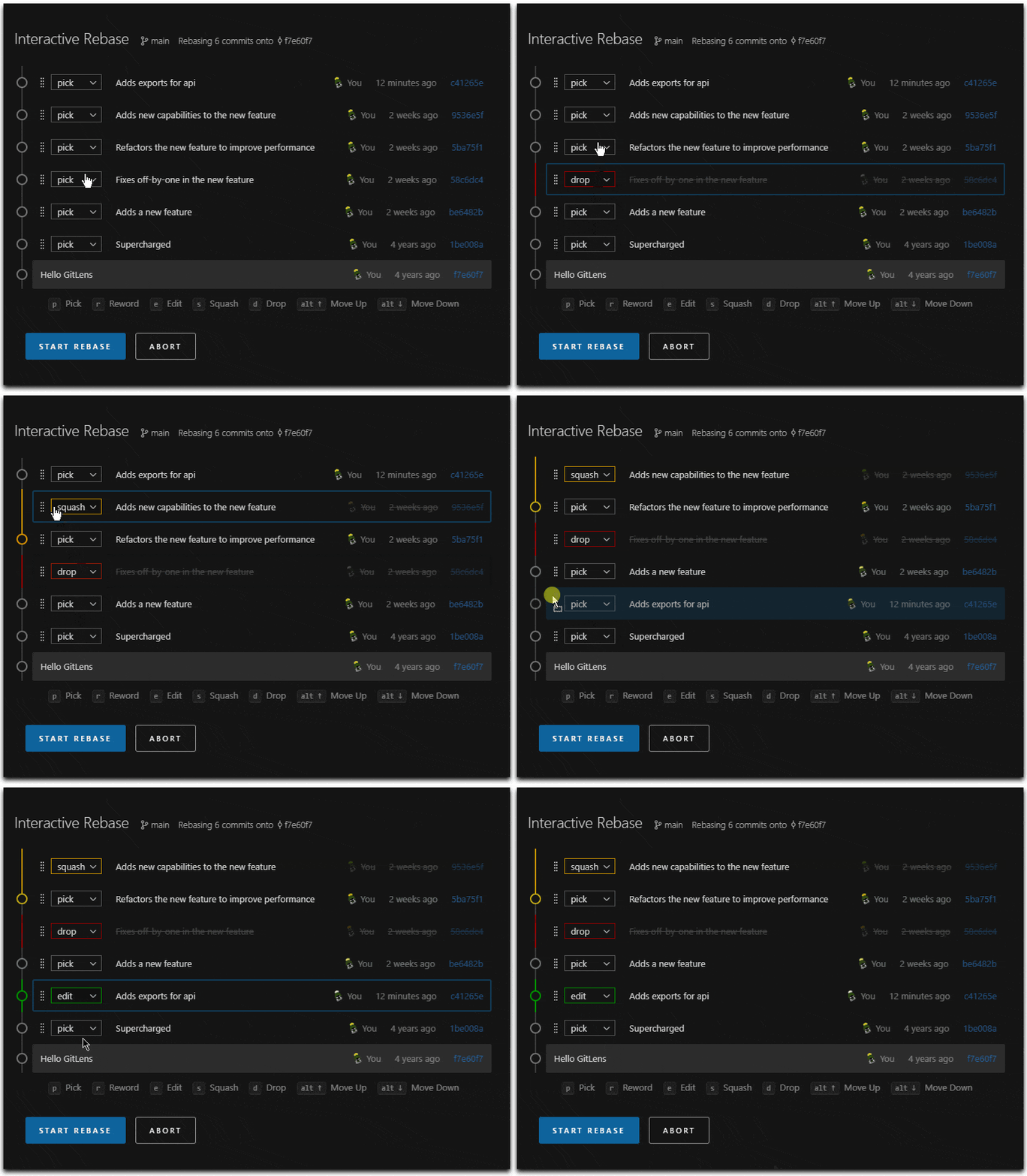
I do still find myself tripping up on whether the next appropriate step is to make a commit or continue the rebase, as that is dependent on if you're in a merge conflict or just editing a commit. But even when I get that wrong, and collapse two commits together, abort saves the day.
https://www.man7.org/linux/man-pages/man7/gitrevisions.7.htm...
  git reset HEAD^1 (NO --hard!)
  git commit --patch ...
  git rebase --continue
git commit --patch --amend ...
  git stash
  git rebase --continue
git stash popIt isn't particularly fast, but it uses bisect to find the first commit on the target branch that conflicts with your branch, then let's you rebase to that commit. You then repeat the process until you are caught up.
The idea is that solving one conflict many times is usually quite easy, especially if you know the conflicting commit messages, but solving many conflicts in one go is not so easy. This was inspired by me rebasing a 6 month old branch which refactored a file that happened to have many edits in between.
Plus you can always take a note of the commit hash before you do anything crazy. But reflog means you don't have to.
Git really does have all the features you need. I wouldn't argue with anyone complaining about the UI to get there. But it's all in there somewhere.
- I find it uninteresting. My version control needs are very simple.
- Most teams I have been in use a small subset of it.
- It's confusing terms and inconsistent cli are huge warning signs to not go down that rabbithole. Today instead of learning Git I read some Tony Hoare, much better.
I've been at once place where they rebased, and it was awful. Complete waste of time. (great place otherwise though)
Here's a GIF I found with Google: https://yogwang.site/2025/cursor-vscode-gitlens-rebase-edito...
I'm really not fond of having to `git rebase --interactive` just to drop all commits that are "already in master", especially when I forget this silly step and get a borked rebase.
git rebase -i master..HEAD
https://www.man7.org/linux/man-pages/man7/gitrevisions.7.htm...
x git commit --amend --reset-author --no-edit
> git config --global alias.whatever_you_want 'commit --amend --reset-author --no-edit'
get ahead at work? split into commits and make it look like multiple days of work
work on your own IP during work hours? edit the timestamp to be outside work hours (i even have a script for this)
I have a simple rule where if the rebase cannot be solved within a few commit rewrites that I will restart the branch from latest master.
If you are suffering from really difficult rebase scenarios, it's likely that the senior developers are more at fault than the junior developers. The way you organize work over the codebase has the biggest impact on how things would conflict. If nothing ever does, rebasing is a trivial operation.
- git rebase -i <commit-hash>^
- select edit
- git reset --soft HEAD~
- make some changes
- git add . && git commit -m "changes"
- git rebase --continue
- Am I using git rebase wrong?
My preference, however, is creating a fixup commit and using rebase to squash it into the old one.
Edit: A sibling comment mentioned "git history fixup" which I'll have to try out.
Besides interactive rebase, my other favorite command is “git log —-oneline origin/master..HEAD”
It shows me exactly where I am…
    pick a1b2c3d Add user model
    s e4f5g6h Fix typo in user model
    pick i7j8k9l Add login endpoint
    s m0n1o2p WIP debugging login endpoint
    s feedbee fixed login endpoint
    s deadbee fixed login endpoint
    s adebade fixed login endpoint
    s abcdefg actually fixed login endpoint
  git commit —fixup=<commit-id>
  git rebase -i —autosquash
git history fixup <commit-id>
Again, though, I still use a visual tool.
I know you can do this from within magit as well but I've never gotten into that workflow.
it's the one clear tool that i used all the time. moving to jj, it has lots of amazing tools starting with `jj edit` to go change the past safely & conveniently, with much less pain. but i miss the direct powerful data-driven experience of seeing the timeline in a text file, and picking what to do with it. sometimes.
imo every dev should work to get some competency with git rebase! it's an amazing tool. there's few other systems that give such direct control. it's top layer is, perhaps, the excel of version control?