All that to say, the sweet pot was likely somewhere in the middle of this timeline. The earliest icons aren't recognisable enough as they're too illustrative. The later icons aren't recognisable enough because they're too basic. The middle are pretty, clear from colour, clear from shape, well branded.
They were happy that someone finally made a decision, and freed them from the burden of fruitless repeated deliberation.
Not in the sense of "This is how long that will take me" (because who cares about someone else's time?), but in "Of the 3 things you requested, which 1 is your must-have?"
Often this is approximated via design/dev team pushback, but it's easier just to be explicit about it: i.e. everyone gets X change request tokens.
This is also the difference between a supremely dysfunctional and an OK-ish standards committee, the classic Home of Bikeshedding.
LLMs however... they give part of this power to lower levels as well. After all, what is an LLM other than the condensed knowledge of humanity? (Partially /s)
Apple has the benefit of massive cash-flow and, as a result, hiring many competent designers who draw and create to a specification. The specification could be created by another team of senior designers that are paid handsomely to deal with the gruelling task of defining a corporate identity.
This is similar to how major feature cartoons, which typically require variations of an image to be drawn over and over again, are typically animated by more than one person.
I.e. Apple has the money. They can do better than having one extremely hand-cramped illustrator crank out silhouette-style icons.
But they haven’t. The latest Mac OS is atrocious. Glass? Are they literally trying to mimic 2006’s Compiz?
What this did teach me was to create very efficient workflows. I had all the Inkscape keystrokes memorized and found out they had an API that allowed me to create some level of automation (things like batch conversations IIRC). I kept certain symbols as separate base/template images so I could quickly swap things in and out. I had separate color files with swatches of various color themes, all in hexadecimal. Since I was and am fundamentally a software engineer, I used those engineering processes and principles to make it more like a typical software project than just a collection of images.
A standardized container adds regularity to irregular shapes.
Recently, Apple has been heavily opting for visual harmony, so their icons look consistent when seen as a set. Google too. It's an industry trend that is fairly annoying.
Similar "let's remove the differentiation" decision made for menu icons in macOS: https://tonsky.me/blog/tahoe-icons/
That first level of signalization builds on top of familiarity with iOS. The squircle signifying app shows up a lot, even in marketing materials for iPhones and iPads.
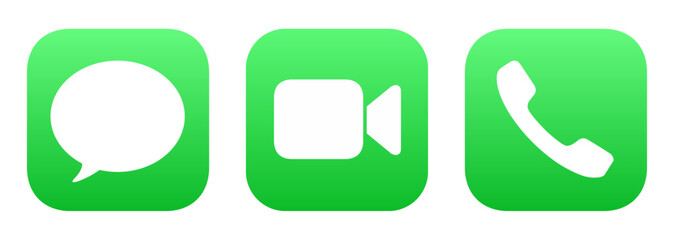
Once you're past that first level, you can use the shape inside the container. The Phone and Messages icons are just green squircles, right? Yet they're very distinctive, because the interior shape (phone handset, bubble) is what registers. https://t3.ftcdn.net/jpg/17/71/51/32/240_F_1771513287_ATNuUv...
I'd argue that differentiating apps from each other is more important than file types apart. Probably
It's a great feature because I can scan several files named export (n).xlsx on my downloads folder stack, and know which one I want from the thumbnail alone. OS feature improvements change the design context.
My personal take is that aesthetics play an important function, but legibility is more important. Good design will achieve both.
https://admindagency.com/road-sign-design/
Road sign design had to achieve both and more and yet they still managed to pull it off.
Does putting differently shaped icons in a standardized container make them harder to distinguish? When I look at an object its boundaries register first. If all icons are enclosed in the same square container, then they all look like squares at first glance.
Now all icons look alike, and it takes longer to recognize.
Move up just one previous, and you've got a good looking illustration still, the pen and paper, but now a) everyone knows what a pen and paper look like, b) it literally says the name of the app, and c) the yellow colour scheme distinguishes it well when scanning many icons. It's clearly more accessible to new users, existing users, young and old users, and in terms of illustration quality, seems pretty subjective as to whether it's better or worse than the last one.
At some point, the user has to find out, in the same manner they find out about the pen pot.
I think users could easily associate the “pen and poison potion” with word processing for years until someone says “click on the pen and ink” and then they have a lightbulb moment.
I think we went from icons being “visually distinct” to “visually descriptive” to “visually uniform”. Personally I prefer the visually distinct. I’m not convinced we gained some massive leap forward in usability moving away from it; I know I struggle substantially more to find an app or tab that I’m looking for nowadays than when I first got a Mac.
Personally, no. Cognitively? We've been seeing quills and ink in children's stories for centuries. One doesn't have to have used a bubble level to get the analogy in the iOS Level app.
> pen and paper, but now a) everyone knows what a pen and paper look like
A quill and ink are conventionally portrayed in relation to writing. A pen and paper could refer to e.g. sketching.
I'm obviously nitpicking. But I reject the notion that we have to oversimplify to the degree you're suggesting.
> it literally says the name of the app
The OS does this almost everywhere apps exist. Putting the name in the logo is superfluous.
I showed this timeline to non-technical people around me and they prefer... the original pen pot.
These days I do a search for an app by learning its colour, and using that to narrow down the options. There's much less visual associativity of "this icon" === "this app". I really oughtn't have to execute a hash-table search just to find the damn app I want.
On the command line it would be "Pages", something fairly meaningful. The equivalent to the latest icon on the command line would be just calling it "P". And then everytime you want to launch it you must select which P program you want among all the others; equivalent to searching the launcher for which "black blob with a couple orange lines on it" you want.
I have a feeling the icons tried way too hard to trend toward "minimal", but minimal is not the same as bland generic blobs like the latest ones are (and not just Apple, generic icons claiming to be minimal are everywhere). The middle one seems to be the best of both: fairly minimal, still unique, still indicates "writing", as opposed to either end which both seem to be more about the pen itself and would be better suited to an icon for the Apple Pencil section of Settings.
All of the pen-only ones are terrible for something called Pages, the middle-to-older page-based ones actually fit the brief.
The old school icons, even if they were not good representation of what applications did, were distinguishable from a distant. Once you memorized the icon, you would easily find it, on your machine or someone else’s. Even on very crowded desktop, each icon stood out.
Not an issue. You learn it once, and then you instantly recognize Pages every time, due to its distinctiveness from all other app icons (and the same holds for each of the others).
You will be looking to click the Pages app among other apps (in a launcher, Applictions/ folder view, alt-tab app row), etc, for many years. You'll only need to make the discovery/association once.
USED one? No but you have seen it in movies, TV, described in books etc so you know what it is. You can know things without using them personally.
Then again the new Gen Z and A cant read analogue clocks so I have honestly given up on the world improving.
c) Pages plays for the Dodgers
aaahhh! i get it, it's a sports autographs app!
It takes me several seconds to find an existing opened app when I hit cmd tab, it has been months already, I use my Mac for work, I know this stuff.
It’s not just the new design but also something else, like if part of my Mac lost its soul.
The overall trend towards minimalism has ironed out much of what made it unique and it hasn’t always succeeded in improving UX. Even Liquid Glass and the ability to tint the icons (to make them even more indistinguishable) depends on the detail being kept to a minimum.
if your users need billboards, then your job is to make great bill boards
The camera icon on iOS is just a fucking camera lens with a grey background. No context.
The calculator one is actually pretty good.
The photos one is also bullshit lol.
You’re right that in isolation they are visually distinguished, but our eyes don’t see colour uniformly, and these icons do not exist in isolation.
I guess frosted white on green is not a good combination for quickly discerning shape.
Also, the newer icons don't really indicate a word processing application. If anything, they're look like they might be for a drawing program. So regardless of interesting/abstract/whatever, it seems like a poor icon choice.
That you have to look closely is kinda crap lol. Whoever designed the icons was more obsessed with consistent branding instead of making icons that make sense.
Looking at the start menu, some MS icons are great. Paint, Notepad, Calculator are all fantastic.
Over the years Word/Powerpoint/Excel have done similar things, they have their own colour, their own name/letter, and usually have had a descriptive graphic in the icon too, indicating a document, grid, or slide.
    He pointed to the far end of his studio. Two tiny patches of white—which were probably actually gray—lay in a single pool of light. One was a smudge of red and the other was a spiral of red. “Which one of those is your logo?” he asked.
    “Neither,” Pip said.
    “The smudge,” I said understanding where the kid was taking us.
    “Right,” he said. “The smudge.”
    “What?” Pip asked.
    The kid held up the paper from the workbench. “Look, this is nice and all, but it’s too fussy. If you look at anybody else’s logo, it’s not fussy. It’s iconic. A crown with wings. A C in a circle. That’s yours,” he said to Pip. “All of them are simple shapes combined to form an unmistakable pattern.”
The goal of an icon is to be able to identify it quickly without having to read the associated text.
The inkwell and the two with the paper are artistic - but they aren't things that stand out quickly when you're trying to find them in the launchpad or on the sidebar.
Pages is orange. Numbers is green. iTunes is red. Keynote is blue.
For Microsoft, Word is blue, Excel is green, and Powerpoint is orange (and Outlook has an envelope like shape). The letter reinforces the choice, but that's more of a hint and reinforcement.
The shape and color is the important thing for quickly finding what you're looking for.
The ink pot one tells me it's clearly an Apple's app. Though I might not know what it is, I know it's likely Apple's.[0]
The new ones can be a random app that shows up in AppStore when you search 'note taking' or 'todo list' or whatever.
I'm also strongly against the idea that an icon needs to directly tell you the functionality of the app. Photoshop's icon is literally 'PS.' Twitter is (was) a bird. No one thinks they lack clarity.
[0]: of course in this AI era if the retro detailed illustration comes back, everyone will just generate their icons in that style... it's a battle you can't win.
I would not associate it with writing at all.
2, 3, and 4 (from the left) look like they're for a notes app rather than DTP.
5 and 6 tell me what the app is for.
7 looks like an art app, not writing. I favour skeumorphism, but to work that needs to use metaphors people are familiar with, and pots of ink are something I know only from art stores.
Yes, my eyes aren’t great anymore. Yes, I’m on my phone looking at a social media post. But I feel like the speed and clarity of the newer ones was (accidentally) on display here.
They are hard to distinguish from each other, removing the main goal of an icon…to make it easy and quick to uniquely identify an app.
Looking at the reminder of the icons, I recognize that it’s not the Notes app because although I no longer use that one I have in the past so I remember that it has looked like a notepad with some lines and some yellow on it. But the leftmost one might as well have been a newer version of Notes than the one I last used.
What? The fact that they have a unique silhouette alone make them so much more recognizable than all the other versions.
Anyone who thinks an intricate illustration of a quill and ink communicates to the user "Hey this app is our Microsoft Word"...is not thinking about what function an icon is supposed to serve.
It's like comparing a road sign to an 18th century painting and saying "LOOK HOW FAR WE'VE FALLEN!"
These are not serious people.
I'm 100% positive more people would guess the far left icon is a text editor compared to the far right icon. Not that I like the left icon aesthetically. Both are pretty weak icons.
As you, never seen these icons in my entire life.
The far left icon's color gradient and Apple Pencil shape made me think it was for drawing.
#4 or #5 are best at conveying what it is for and for being distinct from other icons.
I am sure people have all kinds of associations and emotional involvement with these icons.
With having no idea what these icons even do, to me it just looks like meaningless complexity.
There's lots of interesting discussions to be had around what makes a great icon (but social media platforms aren't the places to have those deep conversations). For example the original Mac HIG says that an app icon should:
- clearly represent the document the application creates
- use graphics that convey meaning about what your application does
(https://www.threads.com/@heliographe.studio/post/DTehlciE3wY)
The first point might be a little outdated, as we tend to live in a "post-document" world, especially on mobile. The second is broad enough that it holds up, and under that lens it doesn't seem that an image of a pen/stylus is most appropriate for a word processor app.
By that metric, the Mavericks/Catalina (5th and 6th on the linked image) seem like the strongest icons. The Big Sur (4th) one isn't too bad given the "must fit in a squircle constraints" that came with it, but it starts to feel less like a word processor app icon - it could as easily be an icon for TextEdit/Notes.
The most recent 3 are very hard to defend - the main thing they have going for them is that because they are simpler and monochromatic, they fit more easily within a broader design system/icon family. Even then, the simpler shape doesn't make them more legible - a number of people have told me they thought it was a bandaid at first, or maybe something terminal-related for the orange on black one. The "line" under the pencil (or is it a shadow?) on the most recent one is almost as thick as the pencil itself, and blends with it because gestalt theory.
I agree that the 7th one (original ink bottle) has a few issues that don't necessarily make it the best choice for an icon - but dang, the level of craft that goes into it makes it an instant classic for me. And it does retain a fairly distinct, legible shape that still makes it a solid icon even if the detail gets lost at smaller sizes.
Icons need to be quickly recognizable, but at the same time an icon is not a glyph - and illustrational approach do have their place. Especially on devices with larger screens where they are going to appear quite large in most contexts.
The big elephant in the room with all this is that icons 5/6/7 clearly take more craft skill to execute than icons 1/2/3, and Apple used to be the absolute reference - no debate possible - when it came to these matters. As a long time software designer (and former Apple designer myself through the 2010s, although I was on the hardware interaction design side, and not making icons), it is sad that this is no longer true.
Oh, I see:
> In October 2025, the software studio Héliographe, Inc. acquired the retro photography app BitCam from its original creator, The Iconfactory
Why are all of your icons terrible?
This is particularly true for the visually impaired and some elderly and neuro-atypical people.
What matters in an icon is uniqueness. Only the skeuomorphic icons to the right can be unique enough for proper identification.
Trendiness of visual appearance has no place in the functionality of a complex machine. If you think it does, I submit the following for your consideration: you. are. a. monster.
Yes, I said that and I mean it. You followers of Jony Ive and his ilk are assholes. The rest of us don't give a shit about your design schools. We just want to be able to click on the right thing.
Hate me, but it's true.
If only they would stop there. These design terrorists won't even let us have that much; Google's Android apps all use the same 4-color-rainbow scheme. Not only did they get rid of the ability to visually identify the icons by color, but you can't even really identify them by shape because applying four highly constrasting colors to a simple shape breaks up its silhouette into something that is not quickly recognisable at a glance. It's as though they're intentionally trying to make the icons have as little functional utility as they possibly can.
While I agree that Google's is not a good approach, that is not what has gone on here.
The Slack and (Google) Photos icons on Android look so visually similar in the sea of green, blue, red, and yellow icons on Android that I frequently open the wrong application. Using my phone sucks.
Here simplification is used to increase the set of people who understand the meaning of the symbol. Understanding the meaning of a symbol is the foundation of language. I'm sorry you are disabled, but you are the monster for trying to hoist your disability onto everyone else.
My vote is to either go back to picture icons, or use Chinese characters with localized pronunciation, so 車 or 车 is car, and so on.
Just like most software icons are not legible without prior knowledge like arrow down mean to save, a circle with a line mean power on/off, etc. Both are ideographic, and I guess some software icons might be a bit more pictographic (like a cogwheel meaning settings because you are interacting with the machine).
0. https://en.wikipedia.org/wiki/Y%C7%92u_bi%C4%81n_d%C3%BA_bi%...
- ŋjajs 議; 'discuss' - ŋjət 仡; 'powerful' - ʔjup 邑; 'city' - ʔjək 億; '100 million' - ʔjəks 意; 'thought' - ʔjek 益; 'increase' - ʔjik 抑; 'press down' - jak 弈; 'Go' - ljit 逸; 'flee' - ljək 翼; 'wing' - ljek 易; 'change' - ljeks 易; 'easy' - slek 蜴; 'lizard'
I just looked it up and the phonetic markers are only like 20-30% reliable. I am shocked at this number as in my experience I would have thought it higher (I would have guessed 60-70%), but it is definitely hit-or-miss. I've never found tones to be predictable.
The linguistic definition of ideographic is that it is a language which uses symbols to represent concepts, rather than just literal pictures (pictographic) or sounds (alphabet or syllabrie).
Linguistics textbooks as far as I'm aware do not define symbol in this context, but generally a symbol seeks to represent the concept. Emoji are great symbols - you see an emoji and you largely understand its meaning, even if you have never seen it before.
The modern Chinese writing system is so abstracted that even an otherwise highly educated person that just lacks exposure to Chinese written script would have absolutely no idea what any of the characters mean. 一, 二, 三, sure. Beyond that, no fucking clue.
So yeah, they wouldn't be legible. Because as symbols, they objectively suck until you learn the basic components, structure, and patterns of organization of the characters.
So to the extent that an ideographic language conveys words as ideas through symbology, and to the uninitiated these symbols lack all meaning, it's not really ideographic is it?
But yeah, not legible might have gotten the point across better.
If I write math equations in an unfamiliar and inscrutable notation does that somehow make them "not math"?
I don't think ideography is in the eye of the beholder but rather the creator. Using the uninitiated as your standard doesn't seem to work very well for most things beyond the absolute basics.
The key observation here with relevance to the original topic would probably be that icons that are legible to the uninitiated are likely to be of benefit. Even if you don't really care to accommodate them it's still going to help you to get your choices adopted.
Thus an amusing thought occurs to me. If we did want to switch to Chinese characters for icons it would probably make sense to do so gradually, one app every six months or so.
Every single one of these icons should be available to choose by the user.
Some folks make good icons; others do not. Taste is highly subjective, and this applies to user interfaces moreso than user experience.
Interfaces should always be customizable; experiences should always be consistent.
The problem is that Apple has lost good taste and judgement. And their App Store obsession turned "we've made it so simple you don't need to customize it" into "you're not allowed to touch our precious OS, you additional-service-revenue-dodging bastards".
They are. You can replace the icon of any app straight in Finder, in the Get Info window. Copy the icon from somewhere else, click the icon in Get Into to select it, and Cmd+V to paste.
I mean, you'll need to get the original icon, but that's not too much work. I don't think Apple themselves should be shipping every high-resolution icon they've ever used for every app. OS's are already large enough.
I don't know any other
I disagree with this approach, and vendors that lock such changes down. If a user wants to replace every single app icon with a PNG or SVG of their choosing, that should be permissible at the OS-level. Users should always have the final say over their interface choices, and corporate or software-maker changes regarding aesthetics/interfaces should never override what the user has chosen for themselves.
Right now there's strong overlap in interfaces and experiences that make this difficult, if not impossible to execute on. Separating the two again is critical for computing to be accessible to all, as is maintaining a consistent experience throughout interface changes.
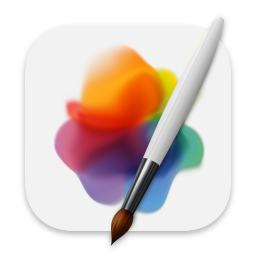
https://www.pixelmator.com/cdn-web-assets/app-icons/ico_pixe...
versus Apple’s new Creator Studio version:
https://www.apple.com/v/pixelmator-pro/a/images/overview/wel...
I have basically no idea what it’s meant to represent, apart from a very vague indication of the concept of “layers”.
It's a trademark violating abomination but I think we ought to give it a try.
And Concentration. Click on the giraffe to get to the Print dialog!
Hm... what was the Print dialog hidden under again?
My web browser is a fox curled up.
My media player is a traffic cone.
Out of the 40 app icons on my taskbar, maybe three of them remotely indicate the product's purpose.
But you knew that.
But... your point is valid. I didn't interpret the original comment as being limited to app icons, but on another read you are right; it does emphasize them.
It all seems to be just the prevalent anti-big tech cynicism finding an easily upvoted outlet.
I looked back at the old “back when they were good!” examples and realized that six of them could be the same app and none of us would know.
I used those icons (and their applications), and I’m far enough removed in time to not remember which was which.
All of this only further cements the idea that the users bring way more to this than the supposed design theories.
But we sure do like the idea of modern masters reaching into the human psyche with phenomenally intuitive icon design.
- clearly represent the document the application creates
- use graphics that convey meaning about what your application does
I've developed a few iOS apps, and one of my favorite Apple "guidelines" (which they essentially enforced at the OS level without developer choice) was that, upon launch, your app should show a fake UI while doing startup tasks in the background. The recommendation was part of Apple's admonishment against splash screens. Think about how dumb this is, and how it makes your app look inept. Apparently plenty of developers did, and shunned this dumb idea; because Apple then forced it on developers whenever technically possible.
Upon your app going into the background or being kicked out of memory, Apple will take a screenshot of what your app is showing. When the user returns to your application, Apple will present this old screen shot; but none of the controls on it will work. The user can tap away furiously, but nothing will happen. When the app returns to functionality, the screen will be replaced by the real UI.
The problem here goes beyond ineptitude into a major privacy issue. You can think you "closed" or changed what an application is showing before handing your device to someone, only to find that Apple still shows a screen shot of its old contents in the open-apps stack. This could be a disaster.
> Why are people arguing that icons should be intuitively tell you what the app is about?
I think the answer may be "because Apple's guidelines say so."
But all of Apple's UI missteps probably don't compare with the festering rot of glaring incompetence that has destroyed Windows and Office in this millennium alone.
And I agree with you about Apple's hypocrisy. They often have one set of rules for themselves that is very different than the set of rules they apply to others.
Or trying to make fonts work.
Apps now lack menus and title bars. it's often impossible to tell what app a window belongs to! WTF? Critical functions are now buried under hamburger buttons all over the place.
The File dialog in several apps (notably Office) has been replaced with a bizarre full-page text-based mess, which doesn't show where you are or let you navigate the file system to where you want to be.
Disgraceful.
I demand Whimsy.
Schools of design have more to do with values and purpose, and following fads and trends and all that. Maybe that's what you're referring to? They can have their own "theories". But when people talk about "design theory" they're usually talking about the basic principles/vocabulary of design.
But they disagree on which of those is "good design" in which context. For example, some want bold colors loudly distinguishing app icons, some want a consistent minimal theme (idk the state of desktop customization today but it was pretty wild in the early 2000s).
> Nobody disagrees that it looks more balanced to have the round parts of letters like "O" and S" extend slightly beyond the baseline and cap line, beyond where the bottom and top os "E" and "B" are.
I'm not totally sure what this means but it sounds incredibly dubious to state as fact and there are no doubt heavily used fonts that don't do it.
For virtually any "universal" graphic design "rule" there will be successful examples of things that did not follow it. There will be a camp that disagrees with it. They also change and drift, they're relative to time and place, nothing is really static. There can be inherent value in explicitly doing something as a counterpoint or juxtaposition to a dominant trend.
I'm not saying you can't or shouldn't learn the vocabulary and the body of accumulated experience, but there's no way you're going to make a universally right and objectively correct decision.
Which is why I literally said there are different schools of design.
> I'm not totally sure what this means but it sounds incredibly dubious to state as fact and there are no doubt heavily used fonts that don't do it.
If you don't know one of the most elemental rules of typography, then maybe you should look it up rather than doubt it.
> I'm not saying you can't or shouldn't learn the vocabulary and the body of accumulated experience, but there's no way you're going to make a universally right and objectively correct decision.
You're missing the distinction I made between basic principles of design, and schools of design. Nowhere did I claim that there are "correct" "decisions". But there are principles of design that are, in fact, universal.
Kid Pix was for kids. Kids could understand it. Easily.
Macs were easy to use and understand. What happened? Steve Jobs passed away, that's what happened... and everyone stepped up to "make their mark", first of all Jony Ive.
Of course picking a meaningful icon is trés difficult.
If we are given the name and then we learn the icon, then perhaps it doesn't matter too much what the icon is?
My friend, you have no idea what you’re missing out on. Even cheap fountain pens can be very good these days, and we are living in a golden age of bottled inks.
Being left handed has its advantages, however smearing wet ink over the page as you write doesn't endear one to nibbed pens.
And leaked ink truely sucks (although I would guess modern technology is better at avoiding that).
Is a fountain pen good for illustration? The very very small amount of writing I do these days is usually mixed words with images/symbols/lines.
To me out in the colonies, fountain pen culture appears to be more about either signaling pretentiousness (what is Montblanc) or designer hipsterism.
I wonder how many practical engineers use a fountain pen?
Not a lot, but more than zero. I take copious meeting notes and I do a lot of my serious thinking on paper. I find fountain pens vastly more comfortable for writing multiple pages of text, compared to ballpoints.
Left handed users do have to adjust their writing technique, and it’s understandable that many do not find it worth the effort.
I have never held a Montblanc. I believe they run to the hundreds if not thousands of dollars. An extremely niche form of wealth signaling. I’m not sure who they’re even for? Fancy New York bankers maybe? Extremely devoted pen hobbyists? I’d be afraid to carry one around.
- Photoshop (used to be an eye, was briefly a feather, now just the word mark PS)
- Foobar2000 (Alien???)
- WinAMP (lightning?)
- Google Chrome (I never figured out what it was supposed to be, just a ball of colors?)
- Microsoft Word (what does W mean?)
- Microsoft PowerPoint (look at the office 2000 version of PowerPoint, it has a pacman in it)
- VLC player (what does a traffic cone have to do with playing video?)
I think if anything has changed now and then, it was not how comprehensible logos became, but how cynical we ended up. We seem to have developed a knee jerk reaction to find anything about "modern tech" to hate on (on a forum owned by the company that funded much of the modern tech nonetheless) and it had colored our perception of how things really were in the past.
Modern icons are not only not comprehensible but not visually distinct (Tahoe making everything the same shape, many apps removing all colour from toolbar icons, various distinct if anachronistic symbolic icons like Save being replaced with slighly different orientations and arrangements of arrows and rounded rectangles...).
This severely impacts the efficiency of user interaction, especially after the first time you use something, at least for me. It's not a knee jerk reaction, it's a reaction to actually feeling it becoming harder to use my computer.
None of your examples are for built-in applications. You have to go out of your way to download those programs. You'd know what the traffic cone means because you downloaded the program with the traffic cone. You went out of your way to get it.
Let's go back to that era and look at some other built-in apps, like Pages is (these days).
Notepad: a blue-covered notepad with some lined pages visible.
Wordpad: a fountain pen writing on some lined paper. Eventually the pen disappeared but the paper remained.
Paint: a paint palette, then a bucket of art supplies, then a glass cup with paintbrushes, then back to a palette but with a brush.
Solitaire: a deck of cards.
Outlook Express: an envelope.
MSN Messenger: two people next to each other because they're communicating with each other.
Windows Movie Maker: a film reel/strip.
Internet Explorer: a big 'e' (for Explorer) with a planet-like ring around it, suggesting a planet that you could traverse. (Okay, a bit abstract)
Over the Mac, there was:
SimpleText: a pencil writing on a sheet of paper. Later re-used for TextEdit.
Sherlock: a detective's cap and magnifying glass, indicating searching. The magnifying glass was later re-used for Spotlight.
Disk First Aid: A floppy disk on the back of an ambulance.
Disk Utility: a doctor's stethoscope pressed against a hard disk.
etc.
> it was not how comprehensible logos became, but how cynical we ended up
Because, on macOS, none of the icons became any more comprehensible than before. If anything, they got less comprehensive even when the visual metaphor remained the same because the representation is so poor. That's what made everybody cynical.
Https://1000logos.net/vlc-logo
After that I've migrated to NixOS desktop. Just had a feeling that old Mac is dead and it's time to look for alternatives. But I kept buying Mac laptops.
After Tahoe I've purchased a Framework laptop.
This visual mess of small icons, huge rounded corners with varying radiuses, low contrast and blur is unbearable. Also a nice touch: the default wallpaper for dark mode was dark in all previous OS versions since Mojave. In Tahoe it depicts a sunny day (Tahoe Day). It's like Apple finally lost all the common sense.
I used to rice my linux desktop, but havefound less reason to do so the last ~5 years, and have been happy using the defaults in Fedora. I spend most of my time in a terminal, the browser and a few select GTK utilities apps, like Switcheroo, Curtail, Netsleuth etc.
Maybe it is the somewhat slower, more iterative pace of GNOME, compared to macOS an Windows, that ends up with a more balanced end result?
GNOME just doesn't feel the need to radically change things every few releases because they have no need to seem "new" to get people to buy things.
Unfortunately I haven't had the time to implement this vision, but Smalltalk environments such as Squeak and Pharo appear to be great environments to play around with such ideas, since everything is a live object.
https://mmcthrow-musings.blogspot.com/2020/04/a-proposal-for...
For a system like this, you can't just have objects: you need some kind of interface abstraction. One example from current OSs is the webview: you want to be able to choose which of LibreWolf, Vivaldi and Servo provides the webview component. But you also don't want to be tied to one interface design (e.g. this is what is meant by "rich text", now and forevermore), since that constrains the art of the possible. If you want to preserve backwards-compatibility, this means you need to allow interface transformers / adapters provided externally ("third-party") to the components they allow to communicate.
Treating applications as monoliths isn't ideal, either: most applications are actually toolsuites. A word processor has multiple operations which can be performed on a document: some of these are tightly-linked to the document representation (e.g. formatting), but others are loosely-coupled (e.g. spellcheck). We can break these operations out as separate objects by constructing an interface for the document representation they expect: this would provide a kind of mutable view (called a "lens", in academic literature; known as "getters and setters" to most programmers), allowing GIMP plug-ins to see a GIMPDrawable while exposing a Krita Document to a Krita plug-in. (Or ideally something more specific than "Krita Document", but Krita's documentation is awful.) (These would, of course, be very complicated translation layers to write, so it might make more sense to do things the other way around to begin with: produce a simpler interface, and expose the resulting tools in both Krita and GIMP.)
In principle, documents can get arbitrarily complex. Microsoft's OLE architecture was a good first start, but it was still "composition of monoliths". You couldn't run spell-check on an OLE document and all its child documents. Perhaps a solution for this lies in ontology logs, though for pragmatic reasons you'd want a way to select the best translation from a given set of almost-commuting paths. (The current-day analogue for this would be the Paste Special interface: I'm sure everyone has a story about all of the options being lossy in different ways, and having to manually combine them to get the result you want. This is an inevitable failure mode of this kind of ad-hoc interoperability, and one we'd need to plan around.)
For describing interfaces, we want to further decouple what it is from what it looks like. If I update Dillo, I want all right-click context menu entries from the new version to appear, but I still want the overall style to remain the same. There are multiple approaches, including CSS and monkeypatching (and I've written about others: https://news.ycombinator.com/item?id=28172874), but I think we at least need a declarative interface language / software interface renderer distinction. Our interface language should describe the semantics of the interface, mapping to simple calls into the (stateful) object providing our user interface (sitting on top of the underlying API, to provide the necessary decoupling between the conceptual API, and the UI-specific implementation details). The semantics should at least support a mapping from WAI-ARIA, but ideally should support all the common UI paradigms in some way – obviously, in such a fashion that it is not too hard to convert a tabbed pane into a single region with section headings (by slapping another translation layer on top, or otherwise).
Then, there should be interface-editing interfaces, which will be relatively simple to produce once all the underlying work has been done. The interface-editing interface will, naturally, let you draw on backgrounds, spell-check your labels, change fonts… using the same tools and toolbars as you use in any other program – or a toolbar you've cobbled together yourself, by grabbing bits from existing applications.
---
Since translation can get quite involved in this scheme (e.g. if you're trying to use an Image Editor v1 pencil on an Image Editor v43 canvas, there might be 18 different changes to pixel buffer representation in the pile of compatibility layers), this system would benefit from being able to recompile components as-needed, to keep the system fast. We'd want a compiler with excellent support for the as-if rule, and languages high-level enough to make that easy. We'd also want to make sensible decisions about what to compile: it might make sense to specialise the Image Editor v1 pencil to use the Image Editor v43 interface, or it might make sense to compile the Image Editor v1 – Image Editor v43 compatibility chain into a single translation layer, or it might make sense to use a more generic Raster Canvas interface instead. This decision-making could take into account how the software is actually used, or we could make it the responsibility of distro maintainers – or even both, akin to Debian's popularity contest.
Recompilation tasks should be off-loaded to a queue, to give the user as much control as they want (e.g. they might not want to run a 30-minute max-out-the-processor compilation job while on battery, or an organisation might want to handle it centrally on their build servers). Since modular systems with sensible interfaces tend to be more secure (there are fewer places for vulnerabilities to hide, since modules are only as tightly-integrated as their interfaces support), we wouldn't expect to need as many (or as large) security updates, but the principles are similar.
This would only become a problem after a few years, though, so the MVP need not include any recompilation functionality: naïvely chaining interfaces is Good Enough™.
Why?
Now you're talking about crime. I have little respect for judging morals through legality -- laws are political and fickle. Morality is more enduring.
In this case, the morals are that buying something is about control, including choosing when and how to use it, as well as when and how it is modified. You wouldn't want your dishwasher suddenly losing capability because the manufacturer decided to remove a feature.
I'm very confused about why you wanted to bring legal issues into this.
From their icon guidelines: "Embrace simplicity in your icon design. Simple icons tend to be easiest for people to understand and recognize. An icon with fine visual features might look busy when rendered with system-provided shadows and highlights..." https://developer.apple.com/design/human-interface-guideline...
Self plug, but I made an app related to this - it's a conceptual art gallery for app icons. I thought it would be an interesting experiment to remove the functional premise and just let an icon be a decorative symbol. It's called 001 (https://001.graphics)
Legibility requires contrast, the whole liquid glass transparent background thing kills contrast and thus legibility. Having random noise from the background windows kills legibility.
As for icons specifically - having white semitransparent (vertical gradient) shape on top of brighter color background makes it harder to perceive the shape which is currently only remaining distinguishing feature. Half of them are gray on gray. If you can't recognize the shape while squinting your eyes then it's not a good legible shape for icon. The Messages/FaceTime is other comments mentioned is one of the best/worst examples of this. In theory shape of camera and speech bubble are unique, but in practice the real difference is very small. They are both similar size elongated blobs. Messages have tiny little triangle in bottom left corner, camera has two notches. Overall and in combination with color choice this makes it harder to recognize the shape. Phone also uses the same color but at least the general shape is significantly different.
It's not all completely bad. The rainbow button strip and darker background for Audio Midi setup in my opinion made it more distinct. The contact icon also improved contrast, but only because old one had very bad contrast.
There are plenty of others where contrast was made worse. For example Time machine, Font book, Clock, Finder.
The second-to-oldest one is legible. The word “PAGES” is quite legible. It’s pretty clear what’s going on. In fact, it’s the only one in the entire set where I would look at the icon and quickly recognize what it is and what it’s for. (The one that is one iteration newer is worse because it’s less legible.)
The first time you see most of them they’re on a page with screenshots and descriptions.
Nobody needs to know what the Word icon is before they know what Word is.
The icon is horrible and generic and has failed to leave an impression on me over multiple years.
What app is it even for? The middle one looks like writing something. The left ones look like drawing a line or testing/calibrating a stylus? The inkpot? I don't even. And the two on the middle right look like desktop publishing?
Microsoft did this okay until their recent liquid glass redesign, which just went further into colored blob territory.
The worst are the icons that rely on the user using a previous version of the app to understand the very abstract version of the icon used today. See: https://mastodon.social/@BasicAppleGuy/115072885331562510
The one in the middle is probably what I would gravitate towards myself. The right three really wear their date on their sleeve.
The usability of this stuff is not worse. It’s just taste.
I'd argue the usage patterns of children using the device for entertainment and adults using the device for productivity are quite different.
Apple did contribute to the backlash (and the over-correction to no design at all, AKA "flat") with their brain-dead skeuomorphic UI. One example hobbled iTunes for years: Apple depicted the current-track display at the top of the iTunes window as an "LCD" with a glass window over it; obviously you wouldn't try to interact or press on a glass-covered LCD. But in iTunes, there were controls hidden in there. WTF? Why would you ever even attempt to click in it?
Equally stupid was Game Center, where Apple depicted controls as painted onto the felt of a Blackjack table. Who the hell would attempt to "operate" the paint on a felt gambling-table surface?
That pen and ink icon had a classic feel to it. It made me think about the time and effort demanded by handwriting that I was bypassing by opening that app. That kind of visual poetry is lost in these flat designs, where communicating membership in a brand's ecosystem seems to beat out other priorities.
We have such a vast library of icons now, make it an option in System Settings.
Call it themes or whatever, I'm sure every macOS enjoyer would love to play with the options and reminisce.
Celebrate your rich design history, don't trample it!
They all look the same. When it was just the icon one was square, one was round, etc. and it was easier to tell them apart.
There is also less room to work with, if 1/3 of it is padding for the rounded box.
Apple lost it's broken but incessant leader, and Tim Cook is lets' face it a chair warmer in comparison.
Say what you want, but the disillusionment is sat there, in your view, or you simply never knew Apple when it was "good".
Hey, maybe people will actually understand why proprietary software is, if not immoral, it's the on-ramp for mass control and manipulation that makes the TV central broadcast propaganda soup era, nothing at all in comparison to the manipulation of people by software.
Answer would be: newest one. It feels uncanny.
It tries to be simplified abstraction. But it is not. There are unnecessary details that are misleading. It does not abstract from the true meaning. Instead it transforms previous abstractions without understanding them.
Meanwhile, at Adobe: https://www.adobe.com/products/catalog.html
Why do I need Javascript to look at some icons and (presumably) text? The server can't render these for me?
They established a trend: make your product dumber and simpler. Make it more accessible to these new little twerks from elementary grammar school who don't understand too much. Right now products are pretending to become simpler with a UI face. But tomorrow you will see them actually become simpler in functionality as well (like Markdown).
Google workspace is riding this wave. They make their products for high schoolers. And now those same college going kids struggle with complex MS Office products.
I prefer the consistent design language which is harder to do with the less abstract designs from earlier Mac days.
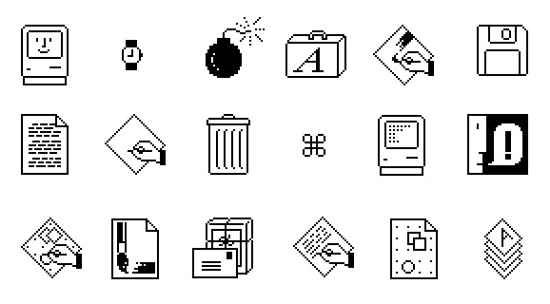
Susan’s suite of original icons for the Macintosh set a high watermark for legibility, usability, and comforting design. We really haven’t returned to that level of ease of use ever since.
[1] https://1.bp.blogspot.com/-XLfMbsAfWqc/Vtae74eUHmI/AAAAAAAAH... (bottom row, 3rd from right)
The only reason it's used that it's cheaper and faster to make, is perfectly soulless not to make anyone upset, and it's trendy.
If that were true, road signage would look a lot different than it does.
Minimalistic design clearly has advantages when quickly grasping intent is key.
>There's exactly zero arguments for any kind of flat or minimalistic design outside of art
Here’s one: helping the interface stay out of the way, removing clutter so the actual content of the app takes focus instead.
I can tell you it works because with the new Glass stuff everything is begging for attention again, and I hate it.
And just to be clear, I’m not voting for design overflattened to the point one can’t tell icons apart. For me, around 4 in the diagram is the ideal middle point.
Yeah, like when I need to guess what is clickable and what isn't...
Exactly, I agree with the parent! They're right, it only happens that their strawman is actually true :)
In the post-skeuomorphic era, people said, "I have no idea what this is, what it does, or what it means."
Which is a better way to fail?
Personally, I wouldn't be able to figure out what the first three icons are for without the context of the other icons. The first two icons are meaningless. The third icon vaugly represents a pen drawing a line, which would lead me to think it is a drawing program. The fourth program would allow me to identify it as word processor, and is my favourite. The rest are identifiable as well.
Microsoft office isn't much better but at least there were consistent elements between versions to make them easier to identify for experienced users who are upgrading. I couldn't say the same for Apple's icons. LibreOffice's icons make it easier to identify each program, even if they aren't the prettiest.
I won't say the new icon is amazing, it is too simple for my taste. I'm just saying, I understand why we're seeing this shift, and I understand why this icon is being used to represent Pages.
And what's the line? Previously it was the drawing line from the pen, so it naturally stopped at the tip, but now it has a weird angled end and disconnected from the stylus.
And why are we seeing this shift to worse / more ambiguous / less differentiated icons?
But I agree they don’t look pretty.
I publish all my posts on Threads/X/Bluesky/Mastodon because I have to meet my customers where they are, but Mastodon is the preferred platform that I point everyone to for open standards reasons.
(if a moderator doesn't mind updating the link, that'd be great)
However there are 3 things I notice about this discussion:
1. Gorgeous detailed renderings aren't symbols, nor are they necessarily good icons. Symbols are mentally quicker to understand, and that makes them ideal as the foundation of an icon, where their purpose is to communicate, not just be pretty. The new icons do this better than the older icons. Secondly the detailed illustrations aren't effective at small sizes, to use the ink pot example: the pen is lost in the detail of the ink pot, at typical viewing size it's a visually noisy design. I recall a criticism at the time being that people didn't know what they were looking at.
2. People such as John Gruber who referenced this post don't have the self-awareness to recognise that they are neither an expert on the topic nor the target demographic. Watching Gruber riot about unimportant minutae over the last few months has been an interesting case study. At no point does he show a modicum of charity whereby he tries to understand why the changes were made, instead his response can be summarised as a whiney/bratty version of "it's the children who are wrong".
3. There is an amusing and unpredictable cross over between people who think the ink pot is peak icon design, but have argued in the past that the much more recent floppy disk is too old to be used as a save icon.