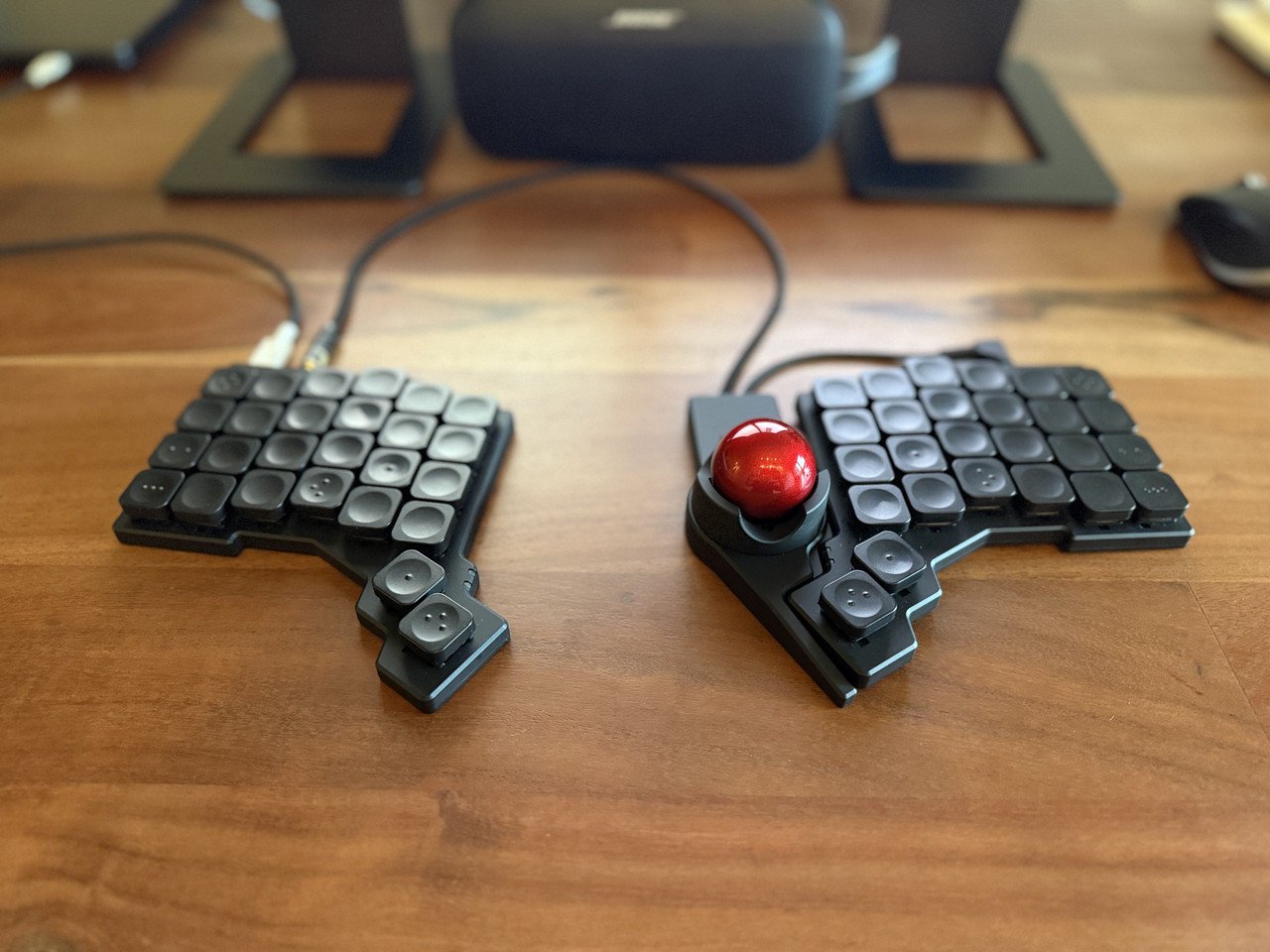
All you need is a regular ~$50 trackball and a regular ~$100 keyboard without a numpad. (You can have an overlay for that, if you need it.)
As someone else pointed out, this new trackball will make you move your fingers (and wrists) significantly off home row. If you do that in one direction or the other doesn't really matter.
If this works better for you than a Logitech or Kensington trackball, sweet, use it. But so far all the reviews are like "I've never used a trackball, but this looks cool". We've had this technology since the literal 1990s guys.
Most people never saw a trackball, let alone used it.
Mainly because either your PC comes with a mouse, or you use a laptop which comes with a touchpad.
Your regular ~$50 sucks because it follows the form factor of a mouse even though you don't have to move it around. If you grew used to one then you don't notice the poor form factor, but it's awkward and still forces to move your hand away of a keyboard.
The Charybdis, Dactyl, and CCK-ball kind of address the problem by making it reachable by a thumb, but they don't eliminate it completely because it still forces you to follow an awkward user flow.
This product feels like a trackball that lets you place it where it makes sense. I think it's an improvement.
I have faith that keyboards with embedded touchpad such as the Kinesis Form fix this issue, but I'm not willing to shelf ~$300 for an experiment. I'd rather try out a split keyboard and have a boring touchpad where it feels right. Multi-finger touch gestures kind of eliminate any other flow. Hopefully keychron will consider that too.
I don't understand - between the Kensington Orbit, Kensington TB550, Elecom HUGE, Nulea M505, M511 & M514 and the Micropack V05M - what ergonomic form factors are we missing?
Only the Kensington Orbit is a different form factor. Every single one of the remaining examples follow the mouse form factor, which forces the user to move a hand away from the keyboard to operate a device to the side. Some of your example products even double as a mouse. What exactly don't you understand?
Also, it's not a split board, you can't actually separate the two halves.
For a touch over $300 you could have almost any split board/track pad combo you'd want. Such a strange product from Kinesis.
Only if you use it off to one side or the other. Seems like it was built to live below the KB and be operated with thumbs. If that's the case, your fingers should never have to leave the home row.
Now it may interfere with KB wrist rests, but learning proper typing form (raised wrists) would solve for that.
Maybe some of the weirdest were things that looked like small mice that were linked and position-sensed by a bar linkage to the laptop. I can't find a reference to one tho, so maybe I'm mis-remembering?
http://xahlee.info/kbd/logitech_trackman_portable_trackball....
Having not seen that hardware interface today while reviewing Wikipedia entries for pointer devices left me questioning my memory like the Fruit of the Loom cornucopia or "Berenstein Bears".
The trackball I don't use for any precision actions. Its useful if I want to hit a tab, or move to the other monitor. But trying to hit small links for example is painful. (That being said I am using the stock bearings, which don't seem to work well)
It was a significant expense for a keyboard, especially being a kit. Albeit my wrists are worth it.
Out of picture, I also have a Magic Trackpad (right) and Logitech MX Anywhere 3 (left). I like to switch up my hand movements.
I also went down the switches rabbit hole and ended up with lighter weight switches under my pinkies, which I find quite pleasant.
I also dual-wield a Magic Trackpad (outside left) and Logitech Lift (which I have found to be vastly better for my wrist than a normal mouse, since it requires much less unnatural rotation).
I’m also looking forward to the ZSA trackpad attachment for the Voyager. Interested to see whether it’s an improvement on the excellent Magic Trackpad. As an avid Magic Trackpad user, what do you think of the trackball?
All in all, though, this kind of setup feels like something of final destination, don’t you think? No more desire to tinker and can see myself using it this way for decades - just replacing switches if / when they fail. I even have some spare keycaps which I bought from Tai-Hao (who manufacture the original keycaps, I believe). I bought the blanks from ZSA then sort of regretted it. They look so darn cool but made the transition to Miryoku harder than it needed to be.
Goodness gracious look how much I’ve written about my keyboard. My wife would find this very amusing.
Yes, it's my end game but I was pretty tempted by the go60 because of the wireless nature. https://www.moergo.com/pages/go60
A few years back, I bought and tried various Logitech/Kensington-type trackballs between two halves of my split keyboard and none of them worked well enough due to being too large for comfortable reach (and also the casing being large enough to force the halves farther apart than I prefer). I even bought a smaller uncased trackball component to try to make something but never got around to it.
I saw a photo of this product a few days ago in some CES round-up and immediately thought "oh, someone finally made the thing I wanted" (narrow, small). Of course, because the exact height, position and angle of these kinds of things tend to matter ergonomically, it may not work for me but it's a lot closer than anything I've yet seen. If it's reasonably priced, I'll probably pick one up to try.
If you just use the pointing device for switching windows and clicking links/icons, maybe it's a different story.
If you're willing to replace your keyboard, Lenovo does make a standalone version of their ThinkPad keyboard complete with trackpoint though.
https://www.lenovo.com/us/en/p/accessories-and-software/keyb...
https://www.amazon.com/Lenovo-Thinkpad-Trackpoint-Keyboard-4....
When I say "There's nothing I don't like about it", it's actually pretty high praise because I'm finicky, demanding and notice the details in stuff I use.
[0] https://tex.com.tw/products/shinobi [1] https://www.amazon.com/dp/B08CS1FVF2
Another interesting option is the HHKB Studio keyboard. https://hhkeyboard.us/hhkb-studio/product
HolyKeebs also has TrackPoint modules available for some exotic ergo split keyboards: https://holykeebs.com/
A very exotic option is the Svalboard, which is available with both trackball and trackpoint configurations: https://svalboard.com/
Also, Keychron keyboards are way too heavy. Like 1 Model M too heavy. And web-based only flash updating doesn't feel like real ownership. The upside is it's a model that allows exchanging switches. One thing I didn't appreciate was red key caps without black replacements without buying a whole set.
I'm odd - what I want is a stupidly big trackball, like 4 inches across or so. And it should be able to detect rotation about the vertical axis. It infuriates me how optical tracking systems are designed to provide just translation and no rotation when there's a whole other DoF in play.
6DOF devices have been done (ie https://en.wikipedia.org/wiki/SpaceOrb_360 or https://www.computinghistory.org.uk/det/12416/Logitech-Cyber...). They're sorta fun to use (at first) in CAD for browsing 3D models, but never caught on as once you get good at the CAD UIs, the extra degrees of freedom get in the way more than they help.
The only use we got out of it was as a MAME controller for Marble Madness.
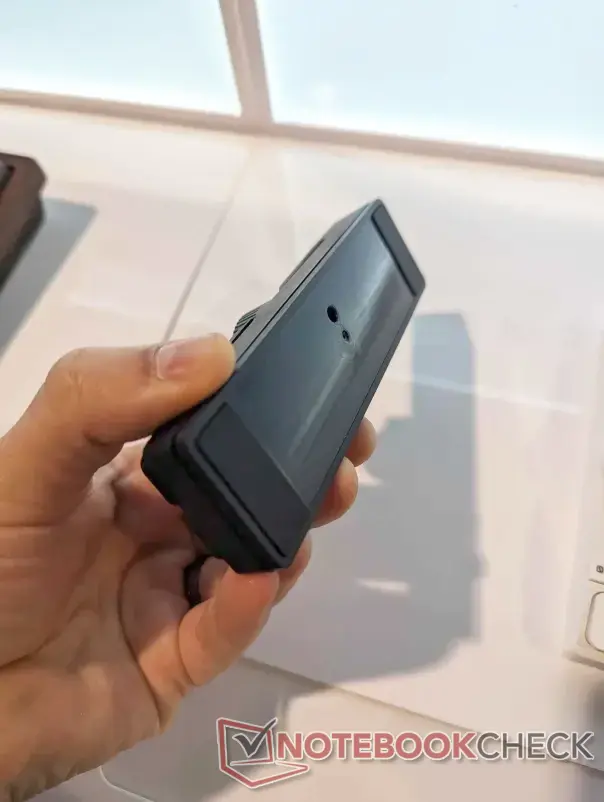
Source: https://www.notebookcheck.net/Keychron-Nape-Pro-wireless-tra...
I'm glad they implemented this! Checking the photo of this particular feature, it seems the 1/4-20 thead is paired with another hole: https://www.notebookcheck.net/fileadmin/Notebooks/News/_nc5/...
I was very hopeful that the hole arrangeemnt would be for an ARRI pin-lock: https://www.arri.com/resource/blob/320202/04f5271d1d21f8c7db...
Referring back to the Nape Pro picture from CES, this appears not to be the case. One thing these 1/4-20 mounted ergonomic keyboard designs need is a locking mechanism that prevents the keyboard from gradually pivoting during regular use. For the Nape Pro, I wonder how feasible it would be to drill the hole into it's exterior?
If you're thinking of mouting these at the edge of a surface, then make sure your 1/4-20 mounting arms use the ARRI pin lock on that end. It's annoying when your keyboard pivots, but if the whole mounting arm pivots, then you might be in trouble (i.e, a loosened mounting arm swings 180 degrees down towards the ground, potentially damaging your keyboard).
Here are some examples of those types of arms from SmallRig:
https://www.smallrig.com/Rosette-Magic-Arm-11-inch-with-ARRI...
https://www.smallrig.com/Rosette-Magic-Arm-7-inch-with-ARRI-...
https://www.smallrig.com/SmallRig-Magic-Arm-with-Dual-Ball-H...
And a clamp that has the ARRI holes:
Maybe one day we'll see a group buy with an all-aluminum case and PVD brass bottom weight.