I don't know what's going on in KDE, but I assume they've got too many software architects with their heads in the clouds, designing a byzantine mess of abstraction and indirection until even they lose track of where in the code the functionality actually lives. That's all just my assumption though, all I really know is that basic features keep breaking between releases.
For a few years I had kept the last KDE 3.5, but eventually I grew tired of solving compatibility problems with newer programs and I switched to XFCE.
I am still using it because I have never seen any reason to use anything else. There are a few KDE or Gnome applications that I use (for instance Okular or Kate), but I have not encountered yet any compatibility problem with them, so I have no need for one of the more bloated environment systems.
I have been using Linux on a variety of laptops and desktops, all with XFCE and without problems. XFCE does not do much, but I do not want it to do more, it allows my GUIs to be beautiful and to reach maximum speed and it has decent customization facilities, which is very important for me, as I have never encountered any desktop environment where I can be content with its default configuration.
Whenever I happen to temporarily use some Windows version for some work-related activity, I immediately feel constrained in a straitjacket by the rigidity of the desktop environment, which does not allow me to configure it in a way that would please me and would not interfere with my work.
On my main desktop, and also on my mobile workstation laptop, I have used only NVIDIA GPUs for the last 20 years and I have never encountered even the slightest problem with them, at least not with XFCE, so I am always surprised when other users mention such problems, like another poster near this message.
Perhaps my lack of problems with NVIDIA may be explained by the fact that I am using Gentoo, so I always have up-to-date NVIDIA drivers, while the users of other distributions mention having some problems with updating the drivers.
Only in my latest desktop, which was assembled this summer, I have installed an Intel Battlemage GPU, instead of an NVIDIA GPU, because the Intel GPU has increased its FP64 throughput, while the NVIDIA GPUs have decreased their FP64 throughput. Thus I hope that Intel will not abandon the GPU market, even if the intentions of their current CEO are extremely nebulous.
As an example of some very simple customizations, which are trivial on XFCE but surprisingly difficult on other desktop environments, I use a desktop with a completely blank, neutral grey background, without icons or any other visual clutter. I launch applications from a menu accessed with a right mouse click or with CTRL-ESC, and I have an auto-hiding taskbar for minimized applications and for a very small number of utilities, e.g. a clock/calendar and a clipboard manager. A few frequently used applications are bound to hot keys.
Seems like YMMV
I made a conscious decision a few years ago (after trying yet another distro that went tits up), I was going to stop playing around WITH linux and start playing around ON linux for computers that I needed to get actual work done on. If one wants a classic Linux feel that is fairly stable, XFCE and a Debian base is pretty good for that.
I am a little concerned about the whole Wayland situation, since the XFCE team seems to be taking a fairly anti-Wayland stance at the moment. It has forced me to manually move from Wayland back to X11 on new installs to get a relaible experience, which is not reliably straightforward and seemingly may become more problematic as time progresses.
I've been using Wayland as my daily driver for a few years now. Any issues I have are from my window manager or apps and not wayland itself.
I have long been running Linux on headless systems but Windows on my daily, and only recently switched to dailying a Linux desktop. I started with Kubuntu LTS, it was easy to switch from Windows (shortcuts, UX) but it felt too "complicated" and distracting, not very good looking OOTB and had some graphical glitches here and there (w/ nvidia).
Now I'm on Fedora GNOME and I like it with its clean and modern design language. Very few extensions later and I can see myself being productive with it.
1. Very little can be customized. 2. Extensions that let you customize things are unlikely to work in the next release because the APIs keep changing. 3. GTK apps have enormous padding around everything that eats my precious screen space. 4. It's heavier and slower than KDE. Probably thanks to all the embedded JavaScript. 5. Its' "my way or the highway" approach to workflows is abrasive.
I think we face the prism of the internet. Since it is the default on so many distros, almost everyonr has been faced to it at some point and those who don't like it are very vocal about it. Those who have been presented Gnome 3 as their first Linux Desktop and have been liking it have had no reason to try out other desktops and will be less vocal against them.
One problem is I think Xfce has no paid developers, it's all spare time.
As long as Xorg is around I hope Xfce never deprecates X.
"It is not clear yet which Xfce release will target a complete Xfce Wayland transition (or if such a transition will happen at all)."
His points about how they do not feel the need to change does seem correct, and it is amazing. As a windows user you should be able to figure it out pretty easily!
Unlike Gnome, Xfce is pretty un-opinionated; I can do away with everything that annoys me in Gnome, macOS, and Windows, while keeping the good bits, and having many more good bits none of these offer.
Hardly GB. You don't have to lie to make a point.
I can't say the same for Gnome or KDE, and that's no slight against either (I happily use the latter on my more recent work laptop).
Having said that VSCode runs perfectly fine on the T440s too, so Electron and JavaScript aren't the fundamental reason those DEs are too demanding to use.
tbh i kinda miss the 6hr battery life
xfce and gnome are by far my most used desktops and i probably would put effort into using xfce more if it supported wayland etc but i guess i like to tinker with newer stuff
to me the only reason to use xfce would be if i wanted to use a lightweight desktop app on a borderline useless computer, cause once you start trying to load websites you're going to blow through so much memory that desktop environments are irrelevant
Currently gnome-shell is taking 135MB of ram, with other gdm/gnome related background services ranging in 700KB-3.2MB each to like 20MB together.
And it's as snappy as my sway config I log into depending on the needs.
I just spammed virtual desktop changes, opening Files, browsing, and it's as snappy as it is in sway.
I think gnome is getting a lot of unfair performance criticism online as it looks like something that would be slow. Maybe it was slow back in the starting gnome3 days. Maybe there are some heavy differences in how distros package it? (arch btw)
... though I will say that from my experience it's the KDE that's the slow one. I don't have it installed currently on this machine but had in the past and have it on my steam deck(which is stronger then this laptop). It feels sluggish and I have this bouncing cursor wait animation in my head right now just thinking about it.
I just don’t see the point in posting something like this aside from baiting an argument. There’s nothing about JS or Electron in this article.
Just in case you want an even more vintage experience.
There's also people trying to keep the SGI experience alive, but this one is a clone: https://docs.maxxinteractive.com/
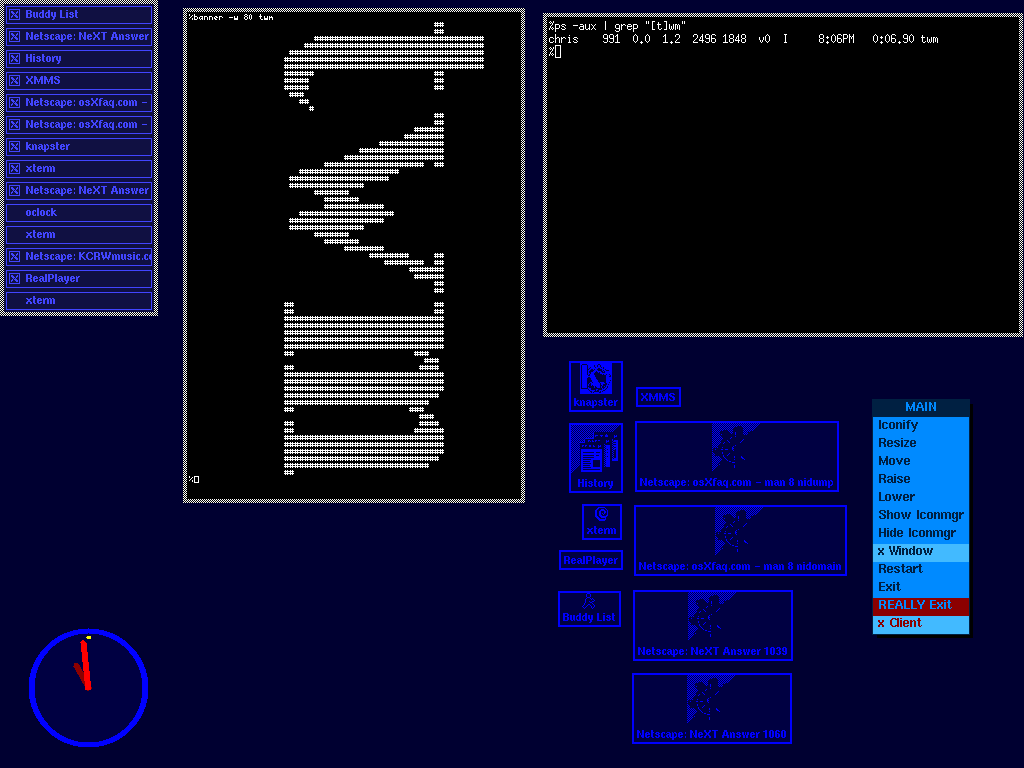
As for as early xfce check out https://xteddy.org/xwinman/screenshots/xfce-default.jpg (I'm actually on that site from 25 years ago: https://xteddy.org/xwinman/screenshots/twm-cjmckenzie.gif)
Just to clarify, it's not about "vintage experience". Xfce is deceptively simple - it gets out of your way and let you do whatever you wish. The original settings are sensible as they are, but you also can customize it as you wish. It is pretty un-opinionated.
https://fastestcode.org/emwm.html
I won't consider XFCE vintage but sane, boring but working. Vintage would be a vanilla FVWM, or MWM, or TWM/CTWM. But not so much, as things come full circle.
EvilWM would look outdated and crappy under Slashdot threads in 2001 or close, because it looked something from the 80's, altough some bright users stated that it saved tons of RAM for applications.
Its clone CWM nowadays it's highly praised by OpenBSD users as a no-bullshit, floating-no tiling madness window manager (and by me too). It works, it can work without any mouse for every window action (even resizing), it doesn't need dmenu, you can use virtual desktops and search between opened windows with autocompletion. So, forget about RSI's, your hands can literally rest.
https://wayback.freedesktop.org/
If I have to suffer that in a near future, I want my CWM setup working like before.
X "just works" well enough for too many use cases
(25 years ago: https://web.archive.org/web/20010301045035/https://sourcefor...)
Once you get down into it, it's fine. https://sourceforge.net/p/cdesktopenv/wiki/LinuxBuild/
I mean ok, it's fine.
You should see github. /s
> I stopped writing posts like this for years, out of fear of how people from specific desktop environments would respond.
I personally also quite liked Cinnamon with Linux Mint, which was similarly pleasant out of the box, but I’m also sorry that the author had to deal with people I guess getting kinda heated over their preferences?
Desktop Zoom (Xubuntu/Kubuntu): In Xfce (Xubuntu) and KDE (Kubuntu), Alt + Scroll is the default shortcut to zoom in and out of the entire desktop. This is an accessibility feature used to magnify specific parts of the screen. convert -size 24x24 -gravity center -background yellow -fill black\
label:$1 ~/.local/share/icons/$1.png
file=~/.local/share/applications/$1-noko.desktop
echo [Desktop Entry] > $file
echo Name=$1 >> $file
echo Comment=noko-made >> $file
echo Exec=$1 >> $file
echo Terminal=false >> $file
echo Icon=~/.local/share/icons/$1.png >> $file
echo Type=Application >> $file cat <<EOR > "${file}"
[Desktop Entry]
Comment=Bash has heredocs.
EOR
Write correct code by default, always, otherwise it will end up somewhere you care about.
The best way to do that is to avoid shell, as a language that makes writing insecure code the most convenient.
(The original intent looks like it's making a desktop/launch icon, e.g. you might call it with "firefox" as an argument and it would put its logo into an application starter, provided a logo of the correspond name is already in the place the script expects.)
make-icon ABCD:
1) Makes a small picture ABCD.png from the first letters of the string "ABCD".
2) Makes ABCD application icon to using the picture ABCD.png.
3) Moving youres pointing device on that icon and pressing appropriate button now executes ABCD.
"convert" is from Imagemagick of course.
Don't get me wrong, I am certainly not defending it. I was a little heart broken as I really liked Gnome 2. However, I tried to be optimistic with their plans overall.
(I think the early days on Gnome 3 featured something call Gnome Legacy to keep that Gnome 2-ish feel. I likely stayed on that for a while)
I still use Gnome 3 today... but Xfce would certainly be my second choice.
That said, there are definitely areas were Gnome could be improved. Some of them are understandable and probably stem from a lack funding / devs. Others less so, like removing the options to scale / stretch / center the wallpaper w/o installing "Gnome tweaks".
I guess I assume "BS" means "UX flourishes that most end users are used to," and I'm not sure minimizing it immediately is the best approach to bring people into the ecosystem.
After ~10 years of using XFCE, I recently for the first time encountered flickering, after an NVidia driver update. I disabled compositing and it went away. Still happy, but clearly something broke there. Pretty sure someone's trying to fix it, somewhere.
Who is actually getting this impression? What thing that they "need" is in doubt?
> I guess I assume "BS" means "UX flourishes that most end users are used to,"
You assume incorrectly. Every OS and DE finds some way to be obnoxious, even when you've learned the tricks and keyboard shortcuts. XFCE just seems to have the least of them. It's predictable. I think a new user will be able to navigate it immediately. I don't know about KDE, but I sure couldn't say the same about Gnome 3.
What on earth?
No, the config has dialogues and intuitive controls. There is a settings-editor you can go into if you need to, with a bit more of a regedit kinda feel, but I haven't looked in there in years.
> Gnome or Cosmic are safer starting points.
In Gnome, can I move the UI elements to locations I want them in? Or are we still in a situation where it's opinionated and you have to seek plugins to get an experience that you actually want?
No.
> Or are we still in a situation where it's opinionated and you have to seek plugins to get an experience that you actually want?
Yes, 100%.
COSMIC feels like GNOME but done right to me. It's not as pretty but while it looks and works pretty much the same by default, you can choose what goes where.
Saying that, I still much prefer Xfce.
It's still a very nice desktop and you can combine it with Compiz if you want to have some fun.
XFCE seems to just work.
Kids those days. twm or fvwm shall be ok.
Absolutely categorically false: I daily-drove such a config on openSUSE for 4 years, 9-5 Mon-Fri.
One portrait, one landscape: fine. 2 portrait flanking one landscape: fine. Laptop + 2 external displays, 1 big in portrait, 1 small in landscape: fine. 2 screens, vertically stacked: fine. 2 side-by-side, one big one small: fine.
Everything works exactly as expected. Panels stay put. Some apps can't remember their positions but they can't on any WM or desktop.
Very dissimilar resolutions gets tricky but that's down to Xinerama not Xfce. It's true on all X11 desktops.
Xfce can do fractional scaling on a per-display basis to get on-screen features the same size, but it results in some displays getting slightly blurry. Tolerable for short-term use but not all day every day, for me.
But Xfce is 100% usable in heterogenous multihead and indeed handles this as well or better than almost any other mainstream X11-based desktop.
I very recently upgraded from a dual fullhd to a dual 4k setup and I was genuinely surprised how little problems I had setting everything up to the high DPI displays. I am genuinely interested in hearing what pitfalls might still await me.
It doesn't affect all monitors, but some DPIs really don't play well with X. The fractional scaling you get on Wayland leads to some element of blur instead, but that's a far lesser evil, the jank is a bigger issue IMO.
Once you've set it up it works pretty well though.
Now if only I could remember what I did to get it working nicely...(luckily I've had the same installation of XFCE on my machine for the past 5 years so haven't had to fiddle with that in a while)
But now I have so much screen real estate, I'm almost considering using a tiling window manager.
Also I enjoyed how easily I could modify it:
- xfwm4: zoom only to multiples of integer, nearest neighbor only
- xfwm4: stop moving zoomed area after the cursor when Scroll Lock is on
- xfce4-screenshooter: supply custom actions with parameters %x %y %w %h of a selected rectangle, allowing me, for example, to select a rectangle and then launch a screen recording script.
Never found the use for multiple desktops, though.
The only part that irritates me is having to interact with the GTK file chooser (file open dialog). Someday I might be annoyed enough to replace it.
That's probably my only annoyance as well. Is there an easy way to replace it? Not being able to see the path as a string is very "un-linux".
They have a visual language that's not changed for decades and just works.
I prefer tiling window managers with no decorations, but whenever I have an app that doesn't play nice with xmonad I open an xfce x server and do my work there.
There are many other options though.
I also like the fact that it allows use of any window manager and even supports Wayland now (so Wayfire is an option).
I have some old chromebooks (flashed with chromebox firmware) that uses xfce too, which works great!
So kde & xfce is the only two desktops I use these days & have patience for.
go for NORD theme
https://github.com/EliverLara/Nordic
and I love this icon set (white)
https://www.xfce-look.org/p/1277095
for more NORD integration have a look here:
https://www.nordtheme.com/ports
have fun
As for the icon theme, Elementary XFCE works perfectly well with Zukitre. If not, ePapirus or Papirus itself. Simple and flat but contrasted, the opposite to a good chunk of flat themes today, where you can't guess where the buttons start and end.
Once you get used to that theme the Night Mode it's useless as I you can just spawn
sct 5500 #or xsct
sct 3500
xsct/xsct will work with any window manager, too. And the Zukitre themes blend really well with minimal window managers as CWM, i3, DWM and the like, as it has neither curves nor gradients.
I added i3 so everything is on the keyboard.
XFCE is great because it lets you put it in the background. The GUIs are there when you need them, but it is just as happy if you don't.
TBH I typically run things fullscreen, so the only part of xfce I normally "see" is a thin task bar at the bottom with open windows and clock and such. Well, except for when I use Thunar, which is a nice enough file manager.
You're probably not the target audience then. It's not a DE that prioritizes prettiness.
If you want something that looks like the 90's desktop metaphor, it's exactly that and it's really good at that.
For dark mode, try: - in 'Appearance': set Adwaita (dark), - in 'Window Manager': set 'Default', - in 'Panel': set dark mode.
This works in Debian 12 (running XFCE 4.18) and looks beautiful. Easy on the eyes, readable, comfortable.
For other themes look at xfce-look.org. You install these by decompressing tarballs into ~/.themes/$(theme_name) folder and then selecting these in settings manager.
I just looked at the homepage to see if it was anything different than I see on my machine, and if anything it looks nicer there. It's certainly nothing fancy, but I feel like there's hardly enough there to really count as "ugly". It all fades into the background quickly when you're doing actual work on it. But YMMV I guess.
(edit - there are a ton of themes out there: https://www.xfce-look.org
Though personally I would avoid using their app)
Qogir-dark icon theme.
Whisker menu, application icon+ labels and the system tray thing in the bottom panel.
Basically, it looks like windows 7.
I first used it on an eeepc because something light was the order of the day. But then Gnome 3 happened and I made the switch on my full-strength machines too.
It works and it works well. It's theme-able. It's not opinionated about how I should use it so I can put bars wherever I want, launchers, menus, systrays wherever I like, and I can do it all with a few clicks and dragging and dropping stuff.
Generally a great DE and one that won't screw you over on update, which is something I've come to value.
Admittedly, I use Gnome. I have few requirements for a DE and most existing DEs meet my need[1]. Many in the Linux community hate Gnome (not sure what the short comings are). I use it mainly because it is the default in most cases.
But KDE is extremely ugly out of the box: the panel at the bottom. The window frames, the mouse pointer, the menues. It takes some work to make it reasonable.
What are the features that people actually use on KDE that are missing on Gnome (or require some work to get on Gnome)? I mostly see only the argument that KDE is "extremely customizable" compared to Gnome. I agree, but what is the actual customization that one does that make the difference, which are more work to achieve (or impossible) on Gnome? I am genuinely asking: I can live with ugly DE if I am missing something I don't know.
[1] my needs: ability to switch windows, ability to press super key to search for an app, ability to display time.
Same. To each their own, but I also prefer the aesthetics of the GNOME and GTK ecosystem. Though I use Sway as a WM the past few years, I always opt for GNOME and GTK apps when there are options. I've been using Linux since about 2000.
It's weird that when using something like Windows, KDE, or Gnome, I notice a delay between clicking and the thing happening on screen. It's maybe 100ms or so, but after using XFCE for years, there's a notable and, for me, infuriating delay in many modern GUIs.
And it's not my computer; I'm sitting here with 32 cores, 128GiB of RAM, and a somewhat fancy AMD video card.
Anyway, I LOVE XFCE. I don't need a lot of bells and whistles in my DE, I just need it to launch applications, bind some hotkeys, and otherwise stay out of my way.
I see a top comment here speaking about an inefficient architecture.. that may be the case under the hood, but if you use it for a while, the "click lag" is very noticeable when you move off it.
Maybe it's not a good thing! /s. When I started a new role, I had to use a mac for a week until IT did a Linux swap out, and I found it so frustrating. Mostly the inability to set shortcuts that were muscle memory, but also the lag.
I have noticed lag more on a brand new iPhone (the pro one) then on my face... Which is something
Post-2010ish Gnome and kde are like some sort of sick joke. The fact that there are people who actually contribute their precious free time to these, feels to me profoundly sad.
I used a multitude of UNIX environments since 1994, starting with IBM X Windows terminals connected to DG/UX, and thanks to the way Unity got dropped, the way GNOME 3.0 went down, windowmaker no longer being actively developed, Xfce it was.
I've been doing a couple of these over the years, and the great thing about XFCE is that it doesn't change, while at the same time being fairly intuitive and discoverable to the tech-unsavvy people.
So, with XFCE, I explain things once and I don't have to explain things to that person ever again. It stays as is over the years!
One only have to make sure to disable the virtual desktop (4 screens by default) thing and be sure to only keep one. That's the most confusing thing to non-tech-savvy that ever was. "Where have all my windows gone?! I moved the mouse and poof! they were gone"
Also, it runs great on old hardware. It's mostly what I've been doing. Family and friends tell me how they'll need to buy a new computer because theirs can't go on the internet anymore. I tell them "no you won't!". And then their computer becomes super fast again. Make my Computer Great Again.
His setup was almost non existent apart from few customisations.
I remember he told me that xfce was the best one could get, while not being unpolite, he implied the problem was that people liked too much too have bells and blinking lights.
I kept using for a while what I was using, but after giving a try, yeah, that was all I needed.
in the days before I went full on tiling, xfce was one of my go-to choices.
If I was more purely looking for something lightweight I think I’d end up with some other choice with a more modern design language.
Even thinking about this subject still makes me a little miffed about the “need” to constantly evolve look and feel of the UI.
Liquid Glass changed looks without innovating on functionality. It added bloat and confusion without providing any innovation to justify it. The whole system is so bad that I followed through on selling my Mac to go with a Linux laptop.
At least with modern KDE/Gnome you can make a user experience argument over XFCE for why you’d upgrade. Okay, it’s not as snappy and lightweight, but you get a lot of functionality out of it.
But these commercial operating systems are changing the UI to satisfy a marketing department rather than users. It has to look different or else there’s nothing new to sell.
It's great that these projects have not given into "the times" or tried to become things they're not. They're great at what they do and I hope they remain that way.
Only one thing I wish I could set, allow windows to cover the 'bar'. Yes, I can make the bar auto-hide, but I cannot have a portion of it covered by a window.
The same is true for GNOME, but KDE it is allowed. I expect this is a gtk thing.
If I understand your comment correctly, right click on the Panel --> Panel Preferences, Display tab. Checkmark "Keep panel above windows". This allows windows to use the panel section of the screen. Combine with "Automatically hide the panel: intelligently".
1. as root, edit /etc/environment and add: GTK_OVERLAY_SCROLLING=0
2. in ~/.config/gtk-3.0/gtk.css add: .scrollbar.vertical slider, scrollbar.vertical slider {min-width: 10px;}
Thanks !
This is by far my favorite way to resize and I don't know why it's not an industry standard.
I use this so much once I found it, this solved my frustration with the tiny resize border on the window itself.
This setting can be found in Settings > Window Manager Tweaks > Accessibility > Key used to grab and move windows: Alt
And so I moved on to Mate.
I'm currently on popos (using GNOME) and enjoy the tilling of its GNOME extension. Actual tilling wms were too hackish for me whenever I tried them.
If you wanted something more lightweight and minimal, but complete with tiling, it's a good option.
In terms of being able to put your UI elements wherever you want, being simple, configurable and non-opinionated, it's all very similar. I would assume (could be wrong) that Xfce is under more active development than Mate.
I made the switch when Gnome 2 was killed overnight, and Mate didn't yet exist. My Xfce desktop looks a lot like my Gnome 2 desktops used to. I've never felt the need to switch to anything else or 'back' to Mate.
One of the things I love about XFCE is its modularity. It's literally just a collection of programs that work independently, so while I use DWM, if I need a panel, I just type "panel" into dmenu, and XFCE panel runs right on top of it with no problems, aligning perfectly over the DWM top bar.
If you want to try a more complete DE, I'd recommend COSMIC. It's fresh and fast and very customizable.
In the X11 era, the server arbitrated these components. In the Wayland era (which I must assume is the baseline context), the compositor is the server. Forcing the panel and window manager to communicate via IPC rather than sharing a memory space in a monolithic compositor introduces unavoidable frame-latency and synchronization issues. Issues specifically regarding VBLANK handling and tear-free rendering that integrated environments like plasma or sway solved years ago.
(Yes, it's plenty snappy on an external 4K@60 monitor. A desktop environment is not a competitive FPS where a single extra frame of latency lowers your chance of being productive.)
It would be embarrassing for gnome to be more performant there than XFCE.
Also with x11 if you go through the steps to get Variable Refresh Rate going and you are dual monitor, it will max the refresh of both to the slowest monitor. :(
Wayland doesn't have that issue.
If I were into hardcore gaming, and used the same machine for daily work, I would likely just end the X session, and switched to a minimalist Wayland session with a menu of games for the entire desktop.
Though I must say, 20 years ago, I used X based desktop environments on hardware at the time and they were blazingly fast. Today's Gnome doesn't even come close. How can that be, if they were so ineffcient?
We call this evolution.
It works but keyboard-driven window management is broken: LabWC doesn't understand the standard (i.e. Windows) keystrokes.
But that's not where we are, a lot of people still haven't moved and XFCE only has premliminary support for wayland at this time.
But it doesn't matter, xfce on X is still great.
This enforces a path where window contents often round-trip through the X server before composition. Quantitatively, this typically adds at least one frame of input lag compared to the zero-copy direct scanout path available to monolithic wayland compositors. You likely won't notice this while editing text. However, the architecture doesn't perform well when you attach an external monitor. Since X11 shares a single virtual coordinate space, it cannot synchronize VBLANK across two outputs with different refresh rates or clock domains.
ps: and please don't call your 2018 machine vintage, it makes my secondary thinkpads feel prehistoric :D
I have no doubt the issues you speak of exist in theory but they do not seem to matter in practice.
To my eye most Linux de’s are much lighter or responsive than windows or Mac
Vintage would be my MBP Air from 2011 that also run Arch and XFCE on a 4GiB RAM.
Tear-free is more a driver issue, I also do not see any Wayland advantages here. Probably xorg does not enable it by default
As a user I don't care about X11 / Wayland. I mean I do, from the security viewpoint, but not otherwise. Xfce could port itself to Wayland and (if done properly) I wouldn't even notice. It is nice to know that on any Linux machine I can install UI desktop environment which is usable, dependable and... complete.
I love Xfce and hope they never change. Kudos to everyone involved!
ROTFL. Moksha, the lightweight desktop for Bodhi Linux, has very low RAM requirements, with a default install using under 100MB of RAM
That's hilarious. Remind me, which colour represent “maximize” again? And why are half of the apps I constantly use stuck in a group together such that I have to use a different key to switch between them? And where is the handle to resize a window, anyway?
You only think osx is better designed because you're used to and therefore blind to the various papercuts that osx inflicts upon its users.
- macOS (Quartz): No, you'll need a third-party app.
- Windows (dwm): No, you'll need PowerToys.
- xfwm4: Yes, you can do it out-of-the-box.
This statement of yours is also a bit silly considering Linux desktops have way more in common with macOS than with Windows. They share a whole bunch of concepts like POSIX compliance, use the same shells, and they even share a package manager (Homebrew, which seems to be gaining a bit of Linux popularity lately). Even CUPS comes to mind.
Linux desktops in general skew either Windows-like or ultra-minimal tiling thing.
iPadOS didn't even have overlapping windows until very recently. It barely has application multitasking with a highly compromised implementation. It doesn't even really have a central file system or user directory. It's missing a laundry list of things that macOS has that Linux distributions with also Gnome have.
Let’s not forget that most Windows PCs on the market are available with touchscreens and a lot of people do use them. The Windows PC market is full of 2-in-1 convertibles that do not exist in Apple’s hardware lineup. Gnome isn’t losing their mind by making their desktop environment friendly to them. Apple is one of the only laptop manufacturers that has avoided touch panels on laptops entirely, because they want to sell you two devices with heavily overlapping functionality.
If GNOME wants a touch friendly mode that’s fine, but they’re doing the Microsoft Windows 8 thing and forgetting that there’s a ton of desktop PCs that will never have touch as well as plenty of touch-capable laptops where that capability is unused or even flat out disabled. The least they could do is provide a “traditional desktop” toggle in settings to restore more sane padding values that don’t burn 20% of my non-touch 12” ThinkPad’s limited screen space for no good reason.
The thing is that Gnome has numerous desktop environment alternatives and nobody is stuck with it. Linux desktop environments are free to be opinionated because they know that their users can just use something else. You can even install Gnome and KDE at the same time and switch between if that's really your thing.
Gnome doesn't limit you to installing applications that are in Gnome's own design system. You say "The menu bars of Mac apps are full of such functions that under GNOME simply wouldn’t be implemented because they don’t fit in a toolbar or hamburger menu" but that's not really how it works on Linux. The desktop environment is just the desktop environment, it's essentially separate from everything else.
When we are talking about "Gnome apps" we are really only talking about ~30 core apps that are included with the OS. Many/most/all of them you could even uninstall entirely and replace with something else.
Gnome choosing to have a small settings pane is a deliberate choice to keep things simple for their desktop environment's intended audience, but it is not a deliberate choice to limit functionality or freedom (installing apps from third parties, changing your browser engine, compiling code on your own system, etc).
Very much unlike iPadOS.
And yes you can switch between multiple installed DEs and I have done so in the past, but that makes for a messy experience with many redundant apps that the user must clean up themselves. It’s a lot nicer to have just one installed.
I certainly don’t expect most users to switch between desktop environments but there are so many of them that complaining about one is a waste of breath.
This is a kind of "responsiveness" that should be implemented in GTK+ 4 and libadwaita (dynamically changing padding/size values within the theme depending on active input devices, with mouse supporting smaller sizes than touch-only input), not so much GNOME itself. Windows does it already, so it's a realistic possibility.
Edit: I mean, usable text fields. Like you have on a mac. You hit control-a and it goes to the start of the field. The command key is for interacting with the application.
> You…ever see a screenshot of Gnome?
Let's talk usability, not bullshit. Also gnome looks like... the rest of computers. It has no usability and is indistinguishable from other windows knockoffs
We "PC" users have a dedicated key for that on our keyboard, it is called "home". We even have the opposite, a dedicated key called "end".
> use readline bindings in a textfield
I don’t even know what this means.
readline is a thing that reads lines being input by a user, in a terminal context. It includes a number of keybindings that make editing & navigation while editing the line-to-be-input easy, such as ^A, which moves the cursor to the start of the line.
bash or zsh in emacs mode is similar, those these two have their own line editors, technically.
macOS adopted some (but not all) of the common keybinds from that era into their UI. I.e., in a GUI text entry field in macOS, you can hit ^A to move the cursor to the start of the text entry.
(I don't know that this particular UI-ism would make or break an OS for me, personally, though.)
Given how UI is implemented, this would be up to the toolkit. In GTK3, this was called "key themes"; there was, I think, an "Emacs" theme that would do what they desire. I do not know if GTK4 still has this, however (and I suspect it was removed).
(I think more users are going to expect ^A to be select-all, and home/end and ^← for word navigation, etc. These are the defaults. Thus key themes were probably little used.)
And that's just a wildly nitpicky criticism by the person that brought this up.
To me, as long as the OS includes the functionality, the way it's presented to the user, how customizable it is, and what keys they use is generally irrelevant. Each user of each OS will be used to whatever that OS chooses to set up.
It makes linux unusable
> Each user of each OS will be used to whatever that OS chooses to set up.
You cannot seriously expect each user to manually modify the os
No, I don’t expect users to manually modify the OS, I expect expect most users to leave it alone and learn its conventions.
Sure buddy, the most popular kernel of all time is "unusable." I wonder if 3.9 billion Android users and the entire Fortune 500's data centers know that their platform is "unusable?"